




Running an Amazon store can be highly rewarding, but understanding your fees and profits is key to success. The Amazon Calculator is a powerful tool that helps sellers estimate costs, optimize listings, and plan strategies effectively. Whether you’re just starting out or expanding internationally, this tool ensures you make informed decisions without guesswork.
Using it smartly can save time, increase profits, and give you a competitive edge in the e-commerce market of 2026.
5 Key Points to Note:
- Estimate Fees Accurately – Calculate FBA, referral, and shipping costs to avoid surprises.
- Maximize Profits – See potential earnings before listing products.
- Plan Globally – Suitable for sellers operating in multiple regions worldwide.
- Optimize Listings – Identify which products bring the best ROI.
- Save Time – Quickly compare scenarios without manual calculations.
What is the Amazon Calculator?
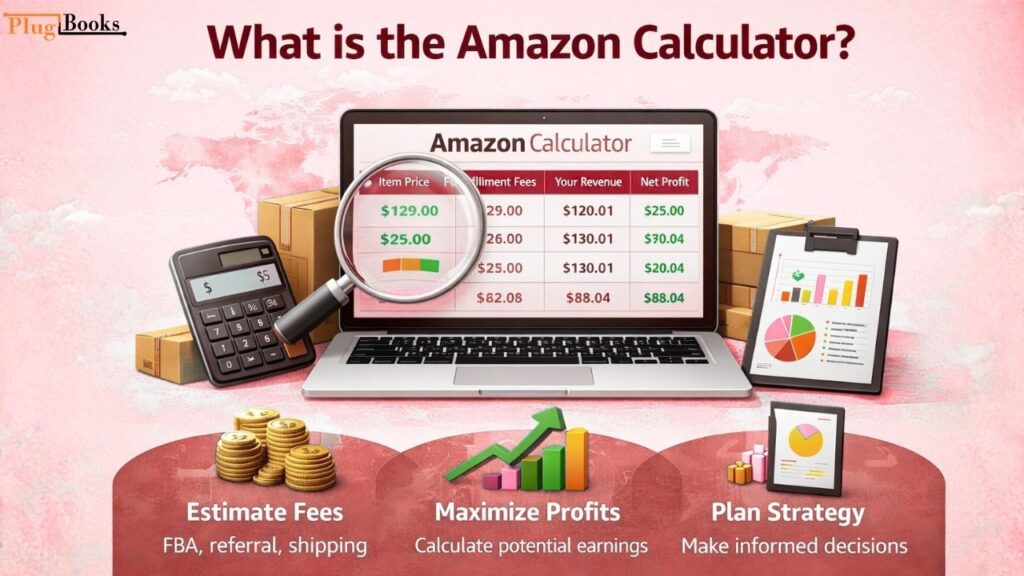
The Amazon Calculator is an online tool provided by Amazon to help sellers estimate potential profits, fees, and overall costs for each product listing. It allows sellers to input product price, shipping, and other variables to see a clear breakdown of earnings. This helps in better pricing, stock planning, and strategic decision-making.
For sellers looking to optimize their listings further, you can also learn how to pause listings on Amazon to manage inventory and control sales efficiently.
Step-by-Step Guide to Using Amazon Calculator
1. Desktop Version
- Go to the Amazon Seller Central.
- Navigate to Revenue Calculator.
- Enter the product ASIN, price, and shipping costs.
- Review estimated fees, FBA charges, and net profit.
2. Mobile Version
- Open the Amazon Seller app.
- Select Tools → Revenue Calculator.
- Input product details and check profit estimates instantly.
3. Multi-Country Planning
US
- Estimate FBA, referral, and shipping fees in the US marketplace.
- Compare your pricing with local competitors.
- Adjust listings to maximize earnings.
UK
- Check fees and profit margins for UK sellers.
- Input local shipping and fulfillment costs.
- Optimize listings for UK customers.
India
- Calculate fees and profits for Indian Amazon customers.
- Factor in local shipping and GST charges.
- Adjust product pricing to stay competitive.
Canada
- Estimate Canadian marketplace fees using the Amazon Calculator.
- Consider cross-border shipping and taxes.
- Update listings to attract Canadian buyers.
UAE
- Review fees and potential profits for UAE marketplace.
- Include shipping and VAT for accurate calculations.
- Set competitive prices for UAE customers.
Saudi Arabia
- Check Saudi marketplace fees and profits.
- Factor in local shipping and taxes.
- Adjust listings to maximize local sales.
Germany
- Estimate fees and net profits for German sellers.
- Include VAT and fulfillment costs for accurate planning.
- Optimize product listings to appeal to German buyers.
Australia
- Check fees and profits for Australian sellers.
- Include shipping, fulfillment, and taxes.
- Adjust listings to maximize revenue.

Common Issues and Fixes
- Fees Not Updating – Clear cache or check Amazon’s latest fee updates.
- Incorrect Currency Display – Ensure you select the correct marketplace.
- Missing FBA Costs – Double-check your fulfillment method selection.
Security Tips for Sellers
- Always use official Amazon tools.
- Avoid sharing login credentials.
- Keep financial data and pricing strategies confidential.
Streamline Your Multi-Platform Business with PlugBooks
Managing your online store across multiple platforms can be complex. PlugBooks simplifies accounting, profit tracking, and inventory management for sellers on Amazon, eBay, and Shopify.
It automatically connects with QuickBooks and Xero, giving you real-time insights so you can focus on growing your business while PlugBooks handles the numbers.

FAQs
Q1: Can I use the Amazon Calculator for all marketplaces?
A: Yes, it works for all supported Amazon marketplaces worldwide.
Q2: Does it include shipping costs?
A: You can input your own shipping fees for precise calculations.
Q3: Is the tool free?
A: Yes, it is completely free for all registered Amazon sellers.
Q4: Can I calculate multi-country profits?
A: Absolutely. Input local marketplace data to see estimates.
Q5: How often are fees updated?
A: Amazon updates fees periodically; always check the latest version.
Q6: Can PlugBooks integrate with Amazon Calculator data?
A: Yes, PlugBooks can import your data to simplify accounting and reports.
Quick Recap
- Amazon Calculator helps estimate fees, profits, and pricing strategies.
- It supports sellers globally for multi-marketplace planning.
- Using it saves time and improves decision-making.
- Pairing with PlugBooks ensures seamless accounting and inventory management.

Conclusion
The Amazon Calculator is an essential tool for any serious seller in 2026. Whether you’re selling in one country or multiple regions, mastering this tool can save money, increase profits, and give you a strategic advantage.
Combined with PlugBooks, you get full control over accounting, sales tracking, and growth planning, making your global Amazon business more efficient than ever.
One thought on “Mastering Amazon Calculator for Global Sellers – 2026”