



Selling on multiple platforms is one of the most effective ways to grow your eCommerce business. Connect Shopify to Amazon to expand your reach, streamline operations, and manage inventory, orders, and pricing from one Shopify dashboard — no more manual updates.
With the right setup, you can start selling on Amazon and other marketplaces directly from Shopify in 30 minutes or less. Here’s everything you need to know to simplify multichannel selling in 2026.
Why You Should Connect Shopify to Amazon
- A Professional Amazon Seller Account is required for integration
- The Amazon Sales Channel app is needed to sync products
- Inventory, pricing, and orders can all be managed from Shopify
- Once active, manual updates are no longer needed
By connecting Shopify to Amazon, you save time, reduce errors, and gain better control over your multichannel business.

How Do I Connect My Shopify Store to Amazon?
If you’re wondering how to connect Shopify to Amazon, it’s surprisingly beginner-friendly:
- Create a Professional Amazon Seller account
- Add the Amazon Sales Channel from the Shopify App Store
- Log in to your Amazon account and connect it with Shopify
- Choose which products to sync
Once completed, your Shopify and Amazon accounts are linked, giving you one central dashboard for all orders.
Can I Sell on Amazon Through My Shopify Store?
Absolutely! When you connect Shopify to Amazon, you can:
- List Shopify products directly on Amazon
- Sync pricing, inventory, and availability automatically
- Process Amazon orders through Shopify
This integration allows sellers to manage multiple channels efficiently without logging in to Amazon separately.

Steps to Link Shopify with Amazon Seller Account
Follow these steps to make your Shopify-Amazon setup smooth and hassle-free:
- Go to Shopify Admin → Sales Channels → Amazon
- Click Connect to Amazon and log in to your Amazon Seller Central account
- Set your business and shipping preferences
- Match Shopify SKUs with Amazon listings
- Enable inventory sync and tracking
After this, you’ve successfully learned how to connect Shopify to Amazon like a pro.
How to Sync Shopify Products with Amazon Listings
Proper syncing avoids overselling or duplicate listings. After you connect Shopify to Amazon, use the Amazon Sales Channel tool to:
- Match Shopify products with Amazon listings
- Update pricing and stock in real time
- Manage orders from both platforms in one place
Most sellers prefer automation to reduce errors and save time — exactly why this integration is so valuable.
Connect Shopify to Other Marketplaces
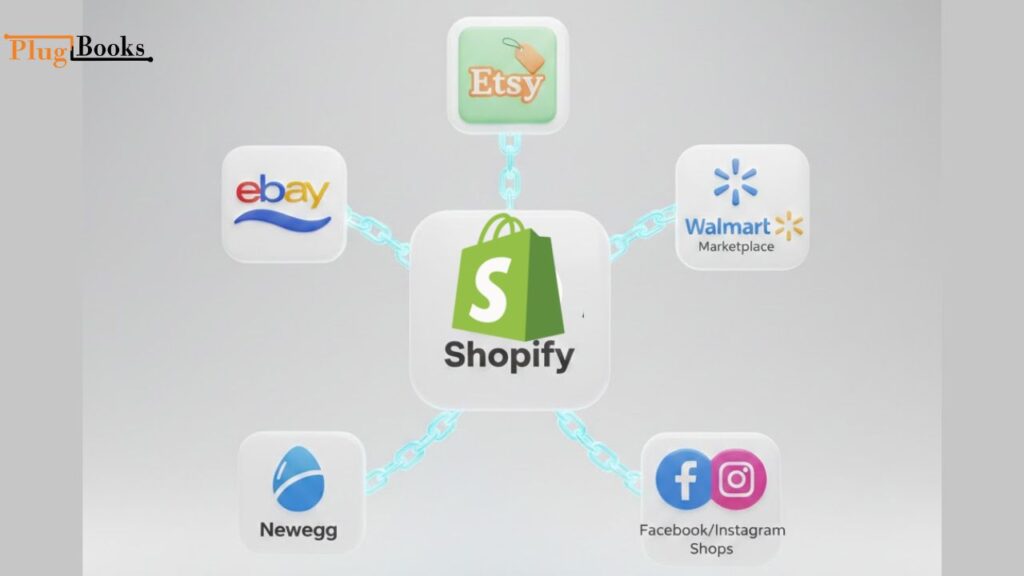
Selling on multiple platforms beyond Amazon helps you reach more customers and grow your sales faster. Shopify integrates with several popular marketplaces, allowing you to manage inventory, orders, and pricing from one dashboard.
Here are some of the top marketplaces you can connect Shopify to:
- eBay – List products, sync inventory, and process orders directly from Shopify
- Etsy – Ideal for handmade or unique products; update listings automatically
- Walmart Marketplace – Reach millions of shoppers while keeping Shopify as the central hub
- Newegg – Perfect for electronics, syncing pricing and stock in real time
- Facebook & Instagram Shops – Sell directly on social media while managing everything from Shopify
By connecting Shopify to these marketplaces, you:
- Expand your reach to new audiences
- Reduce manual updates across platforms
- Avoid overselling with real-time inventory sync
- Centralize order and payment management
Once you connect Shopify to other marketplaces, your store becomes a centralized hub for all sales channels, saving time and reducing errors.
Is It Easy to Integrate Amazon and Other Marketplaces with Shopify?
Yes! Connecting Shopify to Amazon and other marketplaces is one of the most seamless eCommerce integrations:
- Intuitive dashboard for managing all orders
- Real-time product syncing across platforms
- Fewer stock issues and duplicate effort
Whether you’re a solo entrepreneur or a growing brand, this integration simplifies your workflow and helps scale your business effortlessly.
Need Help with Amazon & Shopify Integration?
If managing multiple platforms feels overwhelming, PlugBooks can help. We specialize in syncing sales data between Amazon, Shopify, QuickBooks, and Xero. From taxes to inventory, PlugBooks ensures your finances are clean while you grow your business.

FAQs:
Q1: Do I need a Professional Amazon Seller account to connect Shopify to Amazon?
Yes. A Professional Amazon Seller account is required for the integration to work smoothly and manage orders effectively.
Q2: Can I sync Shopify products automatically with Amazon?
Absolutely. Once your accounts are linked, the Amazon Sales Channel app lets you sync products automatically, including inventory and pricing updates.
Q3: Can I connect Shopify to Amazon without using apps?
No. The integration requires the Amazon Sales Channel app (free) from the Shopify App Store to link and sync your accounts.
Q4: Will I be able to manage Amazon returns inside Shopify?
You will receive return notifications in Shopify, but actual return processing still happens through Amazon’s platform.
Q5: What if I sell on multiple marketplaces?
PlugBooks can help! It syncs data across Shopify, Amazon, and other major marketplaces, making multichannel management simple and error-free.
Q6: Is this integration beginner-friendly?
Yes. Even if you’re new to eCommerce, connecting Shopify to Amazon is straightforward with step-by-step guidance and automated syncing tools.
Final Thoughts:
To grow faster and reduce friction, sellers need automation. When you connect Shopify to Amazon and other marketplaces, you unlock:
- More sales channels
- Centralized inventory control
- Easier reporting and analytics
So if you’ve been wondering whether you can connect Shopify to Amazon and expand to other platforms while staying organized — the answer is a strong yes.