




Ever wondered how to give your customers more choices—like size, color, or material—without creating dozens of separate product listings? That’s where product variables Shopify comes in. These variables, also called variants, make your store more professional, easier to manage, and more appealing to shoppers.
Whether you sell clothing in multiple sizes or electronics in different models, understanding Shopify product variables is key to boosting sales and improving customer experience.
5 Key Takeaways
- Product variables Shopify help you manage product options like size, color, or material in one listing.
- You can easily add, edit, or duplicate variants to save time.
- Shopify variable price product setup lets you charge different amounts per variant.
- Using category metafields helps organize and connect variants more effectively.
- Tools like PlugBooks make accounting for Shopify variable products seamless.
What Are Shopify’s Product Variables?
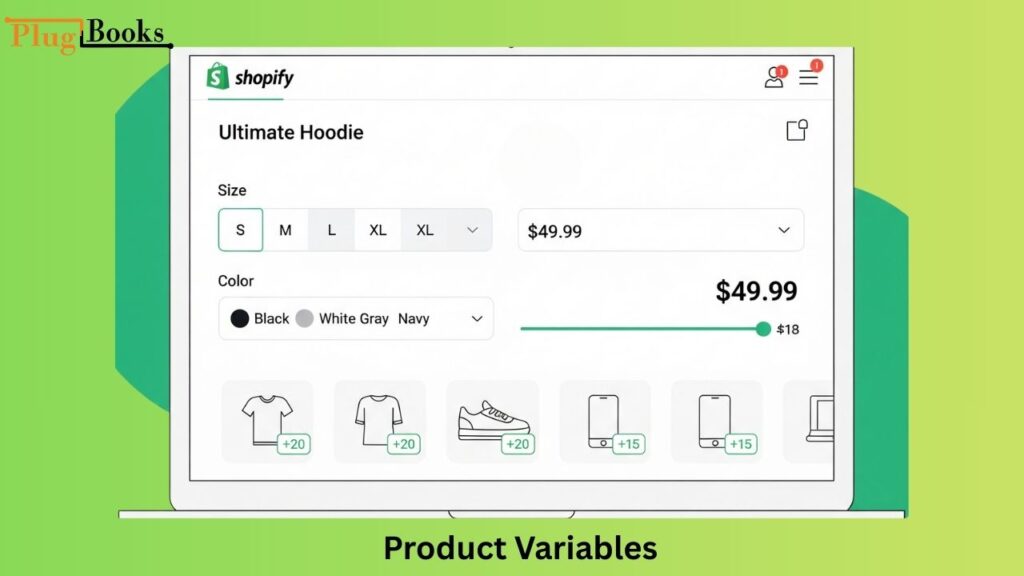
In Shopify, product variables are basically different versions of the same product. You put all of the options under one main product instead of making a separate listing for each one.
For instance:
- A T-shirt could have different sizes (S, M, L) and colors (red, blue, black).
- A laptop could have options for how much storage space or RAM it has.
This makes it easy for vendors to keep track of their stock and for customers to shop.
Things to think about while adding variants
Before making variants, ask yourself:
- Do I need separate SKUs to keep track of my inventory?
- Will the costs alter with each choice? (like a product with a changing pricing on Shopify)
- Should metafields be used to make it easier to sort things?
💡 Pro tip: Each variant affects your accounting. To stay organized, track SKUs, prices, and inventory changes with Shopify bookkeeping solutions from PlugBooks.

When you plan beforehand, you won’t get confused later when you manage Shopify variable products.
Add options to a product
When you make a product on Shopify, you may add variants right away:
- Go to the Shopify admin and open your product.
- Put a check in the box that says, “This product has options.”
- Choose things like size, color, or material.
- For each variant, add prices, SKUs, and pictures.
Setting up product variables in Shopify is that easy.
Add a Variant using Category Metafields
Advanced customisation is possible using category metafields. For example, you can link a “material type” field to more than one product. This makes sure that everything is the same and saves time if you sell a lot of different things.

Change the options for the variant Linked to a Category Metafield
When you link category metafields, updating one of them changes all of the variants that are related to it. This is a great way to keep your data tidy.
Unlink a Category Metafield from a Variant
Shopify makes it easy to detach a metafield if you don’t need it anymore. This keeps your product catalog from being messy or having problems.
Move Variant Options to Category Metafields
Putting options in metafields can help your store stay relevant in the future by keeping all of its data in one place. It’s quite beneficial if you have a lot of changeable products on Shopify that you want to sell.
Add Values to an Option That Already Exists
If you already have “Color: Red, Blue,” you can add “Green.” You don’t have to start over; you can just change the option values.
Add a Variant by Hand
You can make a new variety by hand with its own SKU, image, and price if you require one (like a limited edition).

To add a variant, copy an existing one
Instead of starting from scratch, merely copy an existing variant and change its details. This will save you a lot of time!
Copy Multiple Variants in Bulk
For bigger stores, bulk duplication lets you copy a lot of product variables at once, which speeds up the process of setting up additional alternatives.
My Experience with Different Product Types
I didn’t realize how much of a difference adding Shopify variable goods to my business would make initially. I put everything on one product page instead of having individual pages for each color.
My conversions went up because clients liked being able to look at all the alternatives without leaving the page. Managing stock got a lot easier, which was even better — especially when I started tracking everything with plugbooks.
FAQs
1. What are product variables Shopify used for?
They allow you to sell different versions of the same product (like size or color) under one listing.
2. Can I set different prices for each variant?
Yes! That’s exactly what a Shopify variable price product is for.
3. How many variants can a single product have?
Shopify supports up to 100 variants per product, with up to 3 options each.
4. Can I bulk edit Shopify product variables?
Yes, you can use bulk editing tools or apps to manage multiple variants quickly.
5. Do metafields make a difference?
Absolutely. Category metafields keep variant data consistent and scalable.
6. What happens if I delete a variant?
It’s removed from your store, but your main product remains intact. Always double-check before deleting.

How PlugBooks Can Help
Managing product variables is just one side of the business—accounting is another challenge. That’s where PlugBooks.io comes in. It integrates Shopify sales, variants, and transactions directly with QuickBooks and Xero.
So whether you’re selling a Shopify variable price product or tracking stock across multiple variants, PlugBooks keeps your books accurate and up to date.
Final Thoughts
Mastering product variables Shopify is a game-changer. They keep your store organized, make shopping seamless, and allow flexible pricing. By planning ahead, using metafields, and leveraging duplication tools, you can manage even complex Shopify product variables with ease. And with PlugBooks handling the accounting side, you’ll have more time to focus on growing your store.