




If you’re planning to start an online business in 2026, learning how to create a Shopify store is one of the smartest moves you can make. E-commerce is growing rapidly, and Shopify has simplified launching a professional online store without any coding skills.
Whether you’re a beginner, dropshipper, or an established seller moving online, Shopify offers a scalable, user-friendly platform that adapts to your business growth. According to recent e-commerce trends, online retail sales are expected to surpass $7 trillion globally by 2026, making now the perfect time to launch your store.
This guide will walk you through every step of creating a Shopify store, covering store setup, legal compliance, pricing, marketing, and tips to ensure long-term success. Along the way, we’ll also explore options like buy domain name Shopify for branding, Shopify store setup services to save time, and how you can make a Shopify store on your phone for maximum convenience.
Key Highlights
- No coding or technical skills required
- Store setup can be completed in a few hours
- Beginner-friendly interface
- Flexible payment and shipping options
- Scalable for small to large businesses
- Mobile-friendly setup possible on your phone
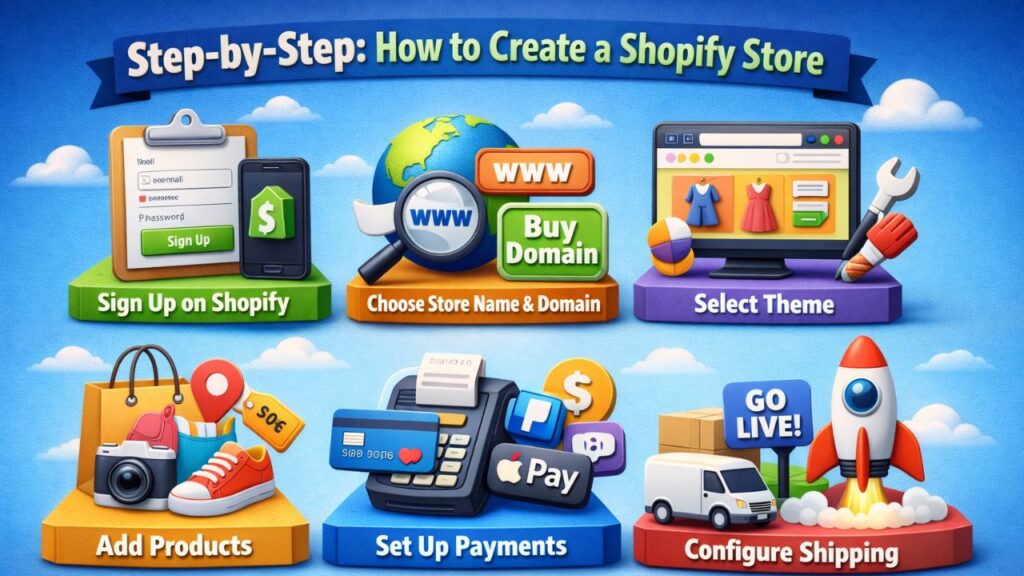
Step-by-Step: How to Create a Shopify Store
1. Sign Up on Shopify
Starting is simple. Visit Shopify and create your account. Shopify offers a free trial that allows you to explore features before committing to a plan.
Steps:
- Enter your email, password, and store name
- Answer a few setup questions about your niche and products
- Access your Shopify dashboard
Shopify offers multiple plans, including Basic, Grow, and Advanced. Beginners often start with Basic and scale as they grow.
Pro Tip: You can make a Shopify store on your phone using the Shopify mobile app. This allows you to start selling even if you’re away from a computer.
2. Choose Your Store Name & Domain
Your store name represents your brand identity. It should be:
- Easy to remember
- Relevant to your niche
- Unique and brandable
Domain Options:
- Free Shopify subdomain: yourstore.myshopify.com
- Custom domain: Highly recommended for professionalism and SEO
Buying a custom domain is a critical step—buy domain name Shopify options give credibility, improve search engine rankings, and create a professional online presence. Popular extensions include .com, .store, or .shop.
Pro Tip: Pick a domain that’s short, memorable, and easy to spell. It’s the first impression for your brand.
3. Select a Shopify Theme
Your theme controls your store’s look and feel. Shopify offers both free and premium themes.
Tips for selecting a theme:
- Mobile-first design: Most shoppers use smartphones
- Fast loading speed to reduce bounce rates
- Clean navigation for easy browsing
- Customizable homepage and product pages
Well-designed themes increase customer trust, engagement, and conversion rates. Premium themes often come with pre-built sections, reducing setup time significantly.
4. Add Products to Your Store
Product listings are the heart of your store. High-quality listings improve SEO and conversions.
Include:
- High-resolution images from multiple angles
- Clear, descriptive product titles
- Detailed descriptions highlighting benefits
- Competitive pricing
Organize products into collections and use tags for easier browsing. Optimizing product pages is crucial for sales. If you want faster setup, consider Shopify store setup services to handle bulk product imports, image optimization, and SEO-friendly descriptions.
5. Set Up Payments
Shopify supports multiple payment options:
- Shopify Payments
- Credit/Debit cards
- Third-party gateways like PayPal
- Digital wallets (Apple Pay, Google Pay)
Ensure your payment process is secure and convenient. For international customers, enable multiple currencies and local payment methods. Proper setup reduces cart abandonment and increases trust.
6. Configure Shipping
Shipping is a key factor in customer satisfaction.
Options:
- Free shipping
- Flat rate shipping
- Real-time carrier rates
Define delivery regions clearly. Choose between self-fulfillment, dropshipping, or third-party logistics providers (3PL). Clear shipping policies prevent cart abandonment due to unexpected fees or delays.
7. Launch Your Store
Before going live:
- Test the checkout process
- Review product listings and pages
- Check mobile responsiveness
- Remove password protection
Pre-launch marketing helps: set up email capture, post teasers on social media, and ensure your domain is active. Remember, you can make a Shopify store on your phone and launch directly through the Shopify mobile app.
How Long Does It Take To Set Up A Shopify Store?
- Basic store: 1–2 hours
- Optimized store: 1–3 days
- Advanced/custom store: 1–2 weeks
Factors affecting setup time: product research, theme customization, content creation, and app integrations. A well-planned approach helps you master how to create a Shopify store efficiently.
What Are The Legal Requirements For Setting Up a Shopify Store?
Compliance ensures trust and avoids penalties.
- Business Registration – Register your business legally according to your country’s requirements.
- Tax Setup – Sales tax, VAT, proper invoicing, and tax collection rules. US sellers may need an EIN.
- Store Policies – Privacy Policy, Terms & Conditions, Refund Policy, and Shipping Policy.
- Payment Compliance – Ensure payment gateways follow legal and security standards.
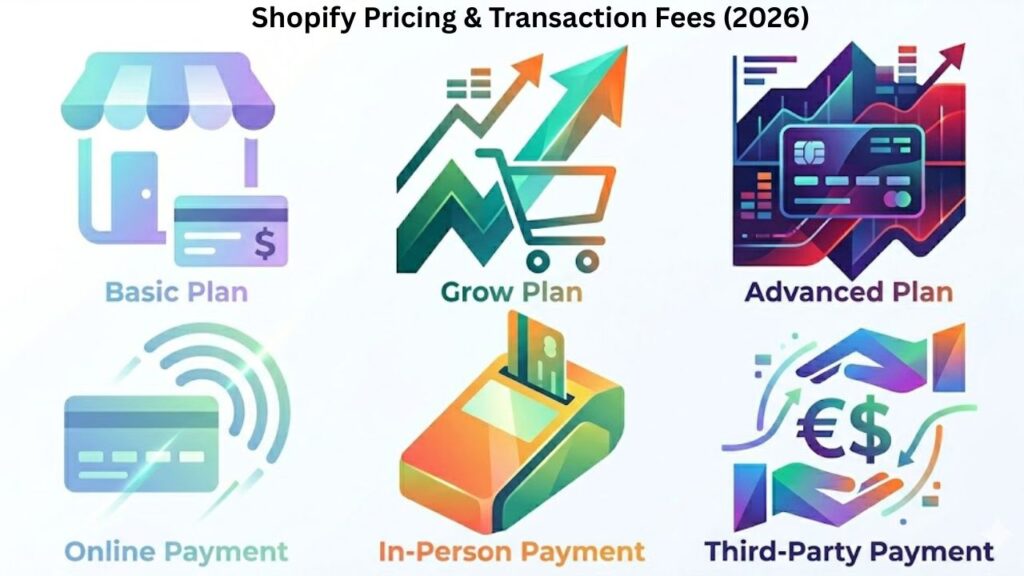
Shopify Pricing & Transaction Fees (2026)
Basic Plan
- Online card payments: 2.9% + $0.30
- In-person: 2.6% + $0.10
- Third-party: 2%
Grow Plan
- Online card payments: 2.7% + $0.30
- In-person: 2.5% + $0.10
- Third-party: 1%
Advanced Plan
- Online card payments: 2.5% + $0.30
- In-person: 2.4% + $0.10
- Third-party: 0.6%
Tip: Track transaction fees carefully, as they directly affect profitability. Using Shopify store setup services can help configure payments and avoid mistakes.
Marketing Strategies for Shopify Stores
- SEO – Optimize product titles, descriptions, and images
- Email Marketing – Collect emails pre-launch and send promotions
- Social Media Ads – Use Facebook, Instagram, and TikTok to reach your audience
- Influencer Collaborations – Build credibility and brand awareness
- Content Marketing – Blogs, guides, and product tutorials
Marketing drives traffic and sales without heavy upfront costs.
Shopify SEO Tips for Beginners
- Use keywords naturally in product pages
- Add meta titles and descriptions for each page
- Include alt text for images
- Improve site speed for better rankings
- Build internal links between products and collections
Common Issues & Fixes
- Store Not Publishing – Activate your plan, remove password
- Payment Errors – Verify gateway setup
- Low Conversions – Improve product pages, photos, and descriptions
- Slow Website Speed – Compress images and remove unnecessary apps
Security Tips for Shopify Stores
- Enable two-factor authentication (2FA)
- Use strong passwords
- Install only trusted apps
- Monitor store activity regularly
How PlugBooks Helps Shopify Sellers Grow Faster
Managing a Shopify store goes beyond setup. PlugBooks simplifies bookkeeping, sales tracking, tax compliance, and multi-channel integration. Whether selling on Shopify, Amazon, or eBay, sellers save time, reduce errors, and focus on scaling their business confidently.

FAQs
How to create a Shopify store from scratch step by step.
Signup, select a theme, add products, configure payments and shipping, and launch your store.
Do I need technical skills to run a Shopify store?
No coding is required; Shopify is designed for beginners with an intuitive dashboard.
Which Shopify plan should I choose as a beginner?
The Basic plan is ideal for beginners or solo sellers, with essential features and standard fees.
Is it possible to sell products without holding inventory?
Yes, dropshipping allows selling without stocking products yourself.
Can Shopify handle international sales?
Absolutely. Shopify supports multiple currencies, global shipping, and international payment gateways.
Can you make a Shopify store on your phone?
Yes, Shopify’s mobile app allows full setup and management on your phone.

Quick Recap
- Shopify store setup is fast and beginner-friendly
- Costs vary depending on plan and features
- Legal compliance is essential
- Marketing and SEO are crucial for sales
- Shopify store setup services can simplify your journey
Conclusion
Learning how to create a Shopify store in 2026 is a valuable skill for anyone entering e-commerce. Focus on clean design, high-quality products, secure payments, and fast shipping. Professional help like Shopify store setup services can save time, and remember you can make a Shopify store on your phone for convenience.
Your online store is more than a website—it’s your digital business. Start today, scale confidently, and maximize profitability.