




Can You Delete a Bid on eBay as Seller? Selling on eBay offers an incredible opportunity to reach a global audience and maximize profits. However, managing bids is one of the most crucial responsibilities for sellers. While eBay provides robust tools, it also enforces strict rules to maintain fairness and transparency across the platform.
In this 2026 guide, we’ll cover every angle—desktop, mobile, iPhone, common scenarios, strategies to prevent unwanted bids, and even how PlugBooks can help streamline your financial management. By the end, you’ll have a complete understanding of bid management on eBay and actionable steps to protect your business.
Key Points
- Understanding what a bid is and how it works
- eBay’s bid cancellation policy and reasoning behind it
- Common reasons buyers cancel bids
- How to cancel an entire eBay order as a seller
- Step-by-step instructions for desktop, mobile, and iPhone
- Preventing bid issues and managing auctions professionally
- How PlugBooks can assist eBay sellers with finances
- FAQs and actionable tips for 2026
Understanding eBay Bids: Can You Delete a Bid on eBay as Seller?
A bid is an offer made by a buyer on an auction-style eBay listing. Unlike fixed-price items, auctions allow multiple buyers to compete by increasing their offers. eBay automatically updates the highest bid in real-time, reflecting the buyer’s commitment.
Why Understanding Bids Matters for Sellers
- Bids set perceived value: Higher bids can encourage other buyers to participate.
- Bids can signal demand for your product.
- Mistaken or suspicious bids can create disputes, especially if buyers cannot pay.
Important Facts About eBay Bids
- Bids are legally binding – Buyers are expected to complete the transaction if they win.
- Sellers cannot delete bids directly – Only buyers can request bid retraction.
- eBay monitors unusual bidding behavior, which helps protect sellers and buyers from fraud.
Understanding the fundamentals of bids helps sellers prepare for all possible scenarios, from accidental bids to managing top bidders effectively.

Understanding eBay’s Bid Cancellation Policy
eBay enforces a strict bid cancellation policy to maintain fairness. Sellers cannot delete a bid themselves, but buyers may retract a bid under specific circumstances.
Why Does eBay Have Such Bid Cancellation Policies?
- Protect buyers’ commitments – Prevents buyers from backing out arbitrarily.
- Maintain auction integrity – Ensures the auction process remains transparent.
- Prevent seller manipulation – Sellers cannot remove bids to unfairly influence outcomes.
These rules create a trustworthy marketplace for both sellers and buyers. As a seller, it’s essential to understand these rules to avoid policy violations and protect your account.
Reasons for Cancelling an eBay Bid
Buyers may request to cancel a bid for several valid reasons:
- Mistaken bid entry – Buyers accidentally bid too high or low.
- Changes in item description – If sellers modify descriptions after listing, buyers may retract bids.
- Payment issues – Sometimes buyers cannot complete payment and request retraction.
- Exceptional circumstances – eBay support may approve cancellations for unusual situations.
Sellers can benefit by anticipating these scenarios and guiding buyers politely, which protects your seller reputation.
How to Cancel an Entire eBay Order as a Seller
Sometimes, a winning bid cannot proceed, and the transaction must be canceled.
Desktop Instructions
- Log in to your eBay seller account.
- Navigate to “Sold Listings”.
- Select the item and click “Cancel Order”.
- Choose a reason (e.g., “Item unavailable”, “Buyer cannot pay”).
- eBay notifies the buyer, refunds are processed automatically if payment was made, and the order status is updated.
Mobile & iPhone Instructions
- Open the eBay app → My eBay → Selling → Sold Listings.
- Select the transaction.
- Tap Cancel Order → Choose reason → Submit.
Tip: Frequent order cancellations may negatively affect your seller rating. Use this option only when necessary.

Step-by-Step: Handling Bids on Desktop
Desktop users can monitor bids more easily and access detailed auction tools.
Viewing Bids
- Log in to your eBay seller account.
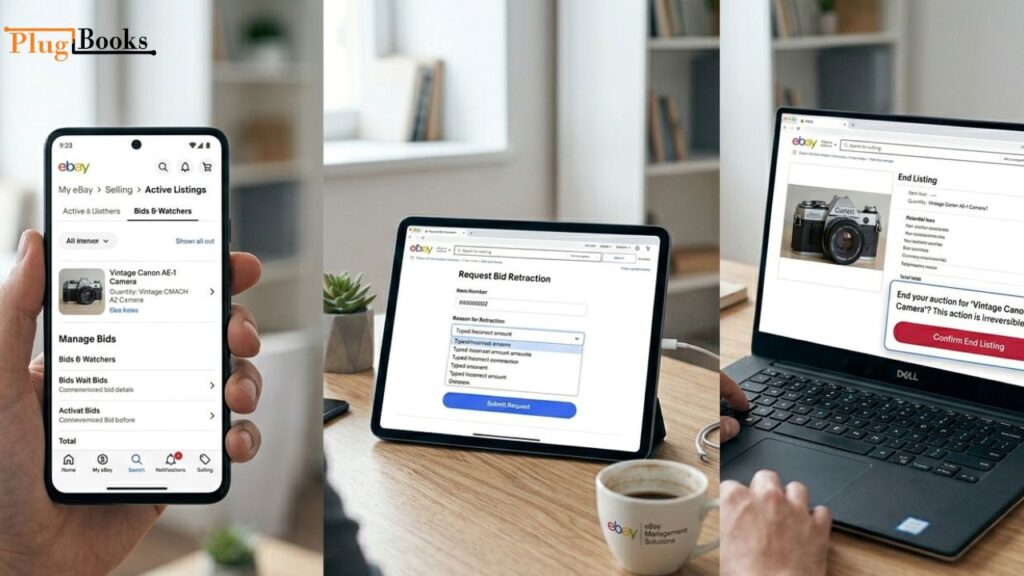
- Navigate to “My eBay → Selling → Active Listings”.
- Click “Bids/Watchers” to review all current bids.
Managing Problem Bids
- Direct deletion is not allowed.
- Contact eBay support for suspicious or fraudulent bids.
- Ending the listing early stops all bids but should be used as a last resort.
Note: Ending a listing early may impact visibility and metrics on eBay.
Handling Bids on Mobile (Android & iPhone)
Sellers often use mobile devices to manage listings on-the-go.
Viewing Bids
- Open the eBay app → My eBay → Selling → Active Listings.
- Tap “Bids & Watchers” to see all current bids.
Retraction Workarounds
- Sellers cannot delete bids.
- Encourage buyers to request bid retraction:
- Tap the bid → Request retraction
- Select reason → Submit
Ending Listing Early
- Tap “End Listing” to halt further bidding.
- Use cautiously; frequent early endings can harm performance.
Mobile management ensures sellers stay proactive, spotting suspicious bids quickly.
Preventing Problem Bids: Can You Delete a Bid on eBay as Seller?
Preventing issues is always better than fixing them. Many sellers wonder, “Can you delete a bid on eBay as a seller?” While direct deletion isn’t possible, there are proactive measures you can take to minimize bid problems:
- Set Reserve Prices – Protects items from extremely low bids.
- Provide Clear Item Descriptions – Minimizes disputes and accidental bids.
- Monitor Listings Regularly – Catch suspicious behavior early.
- Communicate Professionally – Guide buyers on retraction politely.
- Use Scheduled Listings – Reduce exposure to unwanted bidders.
- Implement Buyer Requirements – Block risky buyers based on ratings or history.

How PlugBooks Can Help eBay Sellers Manage Finances
Managing bids is one part of a successful eBay business. Sellers also need to track sales, fees, and taxes efficiently.
Guided Tax Wizard
- Automatically categorizes sales and fees.
- Prepares accurate tax reports, reducing errors during filing.
Multi-Channel Capabilities
- Integrates eBay, Amazon, Shopify, and other platforms.
- Consolidates all financial data in one dashboard for simplified accounting.
With PlugBooks, sellers save time, prevent financial mistakes, and gain insights to grow their business

FAQs
1. Is it possible for a seller to remove a bid on eBay?
No, sellers cannot delete bids directly. Buyers may retract bids under certain circumstances.
2. What if a buyer accidentally bids too high?
Guide them to request a bid retraction politely.
3. Can ending a listing early remove all bids?
Yes, but it may impact your seller rating and auction visibility.
4. How do I cancel an order after a bid wins?
Use the Cancel Order feature on desktop, mobile, or iPhone, selecting a valid reason.
5. How can PlugBooks help sellers manage eBay finances?
PlugBooks offers transaction tracking, multi-channel integration, tax guidance, and analytics to optimize financial management.
6. Can I prevent mistaken bids in future auctions?
Yes, by using reserve prices, clear descriptions, buyer requirements, and scheduled listings.
Quick Recap
- Sellers cannot delete bids directly.
- Buyers may retract bids under specific conditions.
- Desktop, mobile, and iPhone apps allow bid monitoring and communication.
- Canceling orders or ending listings should be used cautiously.
- Prevent future issues with reserve prices, clear descriptions, and PlugBooks.
Conclusion
Understanding “Can you delete a bid on eBay as seller?” is critical for eBay sellers in 2026. While direct deletion is impossible, knowing bid policies, retraction reasons, and order management techniques allows sellers to act professionally and maintain smooth auctions.
By leveraging desktop, mobile, and iPhone tools, and integrating PlugBooks for financial oversight, sellers can manage bids, track income, handle taxes, and grow their eBay business confidently.
With the right strategies, sellers can reduce risk, prevent disputes, and maintain a high-performance store, ensuring long-term success in the competitive eBay marketplace.
One thought on “Can You Delete a Bid on eBay as Seller (2026 Guide)”