



eBay Taxes Explained: A Complete Guide for Buyers & Sellers (2026)
Let’s be real—taxes are the part of selling or buying online that nobody enjoys, but everyone has to deal with.
If you’re using eBay in 2026, understanding taxes is no longer optional. Whether you’re a casual buyer, a side hustler, or a full-time seller, taxes can directly impact your profits, pricing, and compliance.
In this eBay taxes explained guide, we’ll break everything down in a simple, conversational way—so you don’t feel like you’re reading legal documents.
Key Takeaways Before We Start
- eBay automatically collects some taxes (like sales tax in many regions)
- Sellers are still responsible for income tax on profits
- Buyers may pay VAT, customs duties, or import taxes
- Tax rules vary depending on your country
- Ignoring taxes can lead to penalties or account issues
What Does “eBay Taxes” Actually Mean?
When people search for eBay taxes explained, they’re usually confused about one thing:
👉 Who pays what—and when?
Here’s the simple breakdown:
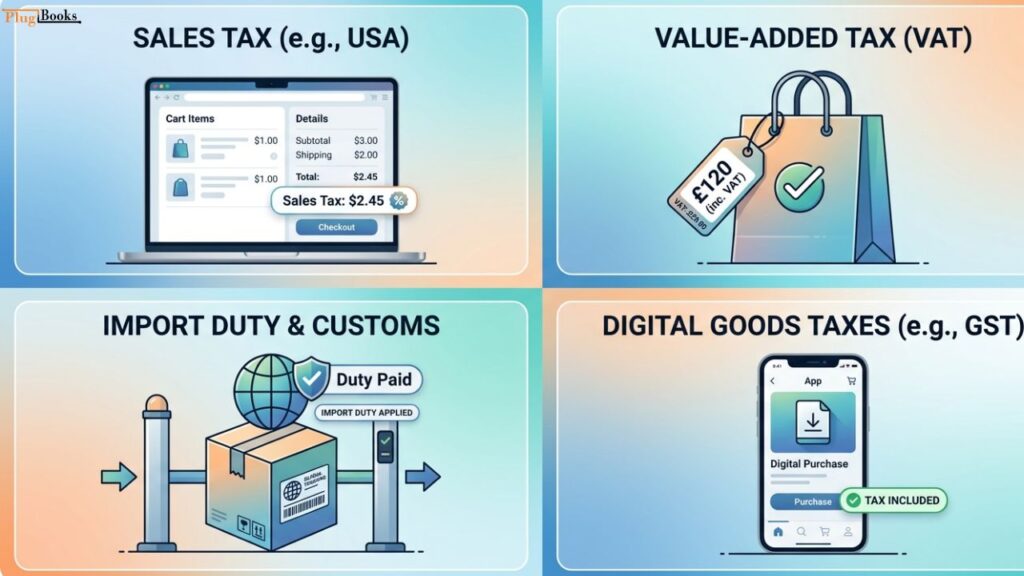
- Buyers → Pay sales tax, VAT, or import duties
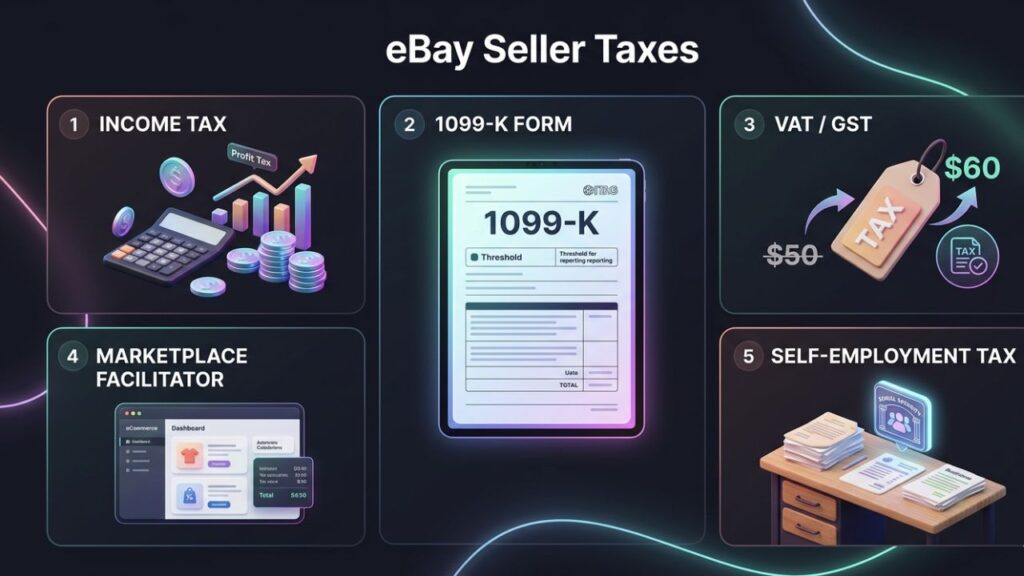
- Sellers → Pay income tax, and sometimes VAT/GST
- eBay → Acts as a marketplace facilitator in many regions and collects taxes automatically
But the details depend on where you live, what you sell, and how much you earn.
eBay Taxes for Buyers (What You Pay When Shopping)
Let’s start with the buyer side, because this is where most confusion happens.
1. Sales Tax (Mostly in the US & Some Regions)
If you’re buying from certain countries, eBay may automatically add sales tax at checkout.
How it works:
- eBay calculates tax based on your location
- It’s added before payment
- eBay sends it directly to the government
👉 Good news: You don’t need to file anything yourself.
2. VAT (Value Added Tax – UK, EU, etc.)
If you’re in Europe or buying from there, VAT is a big deal.
Key points:
- VAT is usually included in the listing price
- For imported goods, VAT may be charged at checkout
- If not prepaid, you’ll pay it on delivery
👉 VAT rates vary (usually 5%–25%)
3. Import Duties & Customs Charges
Buying from another country? This is where surprise charges happen.
You may have to pay:
- Customs duty
- Import tax
- Handling fees
Example:
You order a product worth $100 from abroad →
You might end up paying $120–$140 after taxes.
👉 These charges are NOT controlled by eBay—they’re set by your country.
4. Digital Goods Taxes
For digital products:
- Some countries apply special taxes
- These are usually included in the final price
eBay Taxes for Sellers (What You MUST Pay)
Now let’s get to the part sellers care about most.
If you’re making money on eBay, taxes are unavoidable.
1. Income Tax (Your Main Responsibility)
This is the most important tax for sellers.
What counts as taxable income?
- Product sales
- Shipping charges you collect
- Any additional fees charged to buyers
What you can deduct:
- Product cost
- eBay fees
- Shipping costs
- Advertising expenses
👉 You only pay tax on profit, not total sales.
2. eBay 1099-K Form (For US Sellers)
If you’re selling in the US, eBay may issue a 1099-K form.
When you get it:
- When you cross a certain sales threshold (often $600+)
What it includes:
- Total payments received
⚠️ Important:
This is NOT your profit—it’s your gross sales.
3. VAT / GST for Sellers
If you’re in regions like the UK, EU, or Australia:
You may need to:
- Register for VAT/GST
- Charge tax on your listings
- File regular tax returns
Example:
- Sell a product for $50
- Add 20% VAT → Customer pays $60
4. Marketplace Facilitator Rules
In many countries, eBay collects and remits taxes for you.
What this means:
- You don’t need to collect sales tax yourself
- eBay handles it automatically
👉 But don’t relax completely—you still need to report income.
5. Self-Employment Taxes
If eBay is your business:
You may need to pay:
- Self-employment tax
- Social security contributions
- Business registration fees
How eBay Automatically Handles Taxes
Here’s where things get easier (thankfully).
eBay handles:
- Sales tax collection (in many regions)
- VAT collection (on applicable transactions)
- Tax reporting forms (like 1099-K)
But eBay DOES NOT:
- File your income taxes
- Calculate your profit
- Track your deductions
👉 That part is still on you.
Common Tax Mistakes eBay Users Make
Let’s be honest—most people mess this up at some point.
1. Not Tracking Expenses
Result → You overpay taxes
2. Ignoring Tax Thresholds
Result → Unexpected tax bills
3. Confusing Revenue with Profit
Result → Panic when you see big numbers
4. Not Saving Invoices
Result → No proof for deductions
5. Assuming eBay Handles Everything
Result → Compliance issues
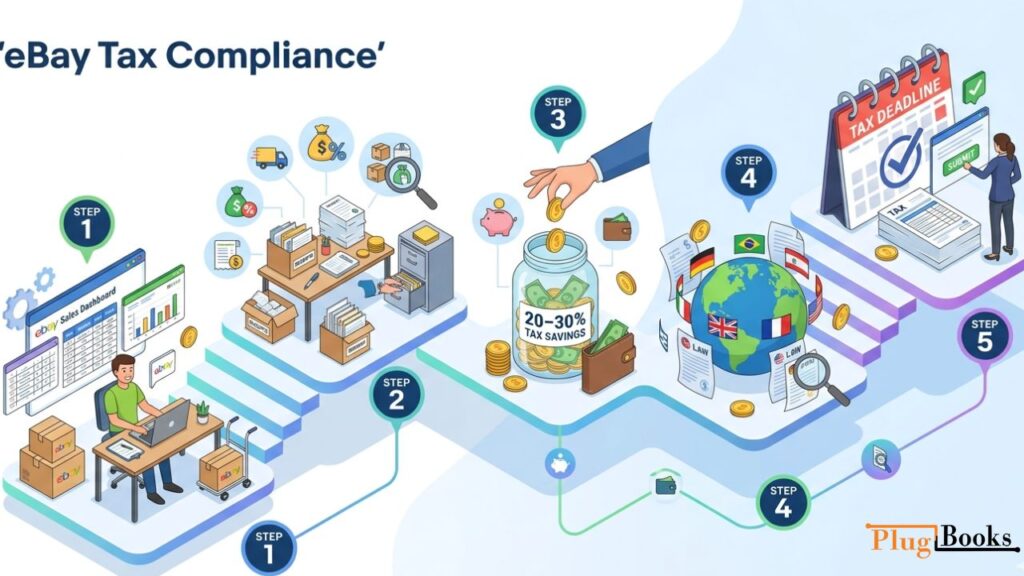
How to Stay Tax-Compliant on eBay
You don’t need to be an accountant—but you do need a system.
Step 1: Track Every Sale
Use spreadsheets or accounting tools
Step 2: Record Expenses
Include:
- Product sourcing
- Shipping
- Fees
Step 3: Set Aside Tax Money
A good rule:
👉 Save 20–30% of profits
Step 4: Understand Local Tax Laws
Each country has different rules
Step 5: File Taxes on Time
Avoid penalties and stress
Pro Tip for Sellers: Automate Your Accounting
Manually tracking everything? That’s a recipe for errors.
This is where tools like PlugBooks come in.
Why it helps:
- Syncs eBay data automatically
- Tracks income and expenses
- Prepares clean financial reports
- Saves hours of manual work
👉 If you’re serious about scaling your eBay business, automation is a game-changer.

Do Casual eBay Sellers Need to Pay Taxes?
Short answer: Yes, in most cases.
Even if you’re:
- Selling part-time
- Decluttering your home
- Running a side hustle
You may still need to report income.
👉 Some countries allow tax-free thresholds—but don’t assume you’re exempt.
eBay Taxes for International Sellers
Selling globally? Things get more complex.
You may face:
- Multiple tax systems
- Currency conversions
- Cross-border VAT rules
Example:
- Selling from Pakistan to the UK
- You may need to understand UK VAT rules
👉 Always check both your country’s laws and buyer’s country rules.
How eBay Taxes Affect Your Pricing Strategy
Smart sellers factor taxes into pricing.
Example:
If your cost = $20
Fees = $5
Taxes = $5
👉 Selling at $30 = ZERO profit
Better approach:
- Calculate all costs first
- Then set your selling price
FAQs
1. Does eBay automatically collect taxes?
Yes, in many regions, eBay collects sales tax or VAT at checkout.
2. Do I need to report eBay income if it’s small?
In most cases, yes. Even small earnings may be taxable depending on your country.
3. What is a 1099-K form on eBay?
It’s a tax document showing total payments received, issued when you cross a threshold.
4. Do buyers pay taxes on eBay purchases?
Yes. Buyers may pay sales tax, VAT, or import duties.
5. How can I reduce my eBay taxes legally?
By tracking expenses and claiming deductions properly.
6. Is VAT included in eBay prices?
Sometimes yes (especially in the EU/UK), but it depends on the listing.
7. Do I need a tax professional for eBay selling?
Not mandatory, but highly recommended if you scale your business.
8. What happens if I don’t report eBay taxes?
You could face penalties, fines, or legal issues.
2 thoughts on “eBay Taxes Explained: Buyer & Seller Guide 2026”