




Great Plains accounting software has been around for years, yet the myths around bookkeeping, usability, and automation never seem to fade. Whether a business uses accounting software for multiple businesses, accounting and bookkeeping software, or bookkeeping and accounting software, confusion is still common.
In this guide, we’ll crack open those myths, share a quick real-life story, walk through every major Great Plains (Dynamics GP) module, and show you how modern tools like PlugBooks.io make it far easier to manage finances without drowning in spreadsheets.
Let’s start with a simple question: what is Great Plains truly capable of?
⭐ What Is Great Plains Accounting Software?
Microsoft’s great plains accounting software—commonly known as Dynamics GP—is a full-featured financial suite covering every part of business accounting. Many people assume it’s outdated, bulky, or too “corporate,” but the reality is completely different.
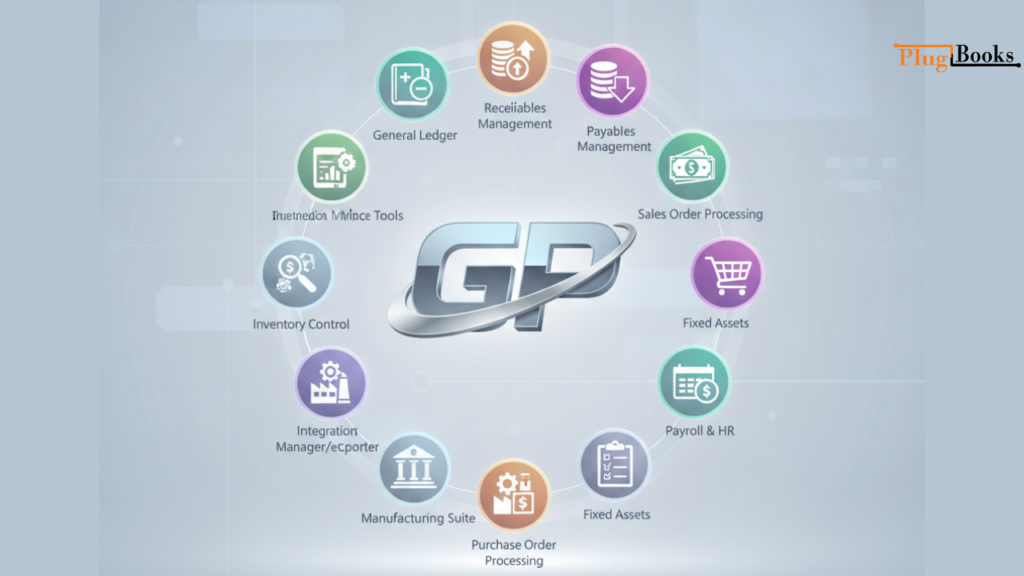
Core Modules Included
- General Ledger (GL) – Central financial reporting
- Receivables Management – Customer invoices & collections
- Payables Management – Vendor payments & bills
- Inventory Control – Stock levels & costing
- Sales Order Processing (SOP) – Orders, quotes, invoices
- Purchase Order Processing (POP) – Purchasing workflow
- Fixed Assets – Depreciation, asset tracking
- Payroll & HR – Employee records, payroll cycles
- Bank Reconciliation – Cash flow verification
- Project Accounting – Billing, task costing
- Manufacturing Suite – Job costing, BOMs
- Field Service – Service calls, warranties
- Business Intelligence Tools – SmartLists, dashboards
- Integration Manager + eConnect – Data imports/automation
- Management Reporter (MR) – Advanced reporting
Whether you operate one company or use accounting software for multiple businesses, GP handles all of it under one powerful umbrella.
⭐ Facts and Myths About Great Plains Accounting Software
Myth 1: “It’s Old”
Fact: GP still gets updates, patches, and new integrations.
Myth 2: “It Can’t Do Bookkeeping Automatically”
Fact: GP automates approvals, posts, repeating entries, and batch procedures.
This is especially important for businesses that want accounting and bookkeeping software that cuts down on human work.
Myth 3: “It’s Only for Big Businesses”
Fact: It is used every day by thousands of small and medium-sized organizations.
Myth 4: “It Doesn’t Work with Cloud Hosting”
Fact: You can operate GP on Azure or a hybrid cloud and it will be completely safe.
⭐ How Great Plains Simplifies Recordkeeping
Even when companies use bookkeeping and accounting software, GP adds a predictable workflow that reduces errors and increases visibility.
What It Automates
- Vendor invoices
- Bank statements
- Journal entries
- Recurring expenses
- Customer payment matching
- Inventory updates
This level of automation is exactly what businesses need when operating accounting software for multiple businesses under one system.
⭐ A Short Story: How PlugBooks.io Transformed a Business
A mid-sized wholesale brand once managed three companies under different systems—spreadsheets for one, an old desktop tool for the second, and great plains accounting software for the third.
Their accountant spent hours reconciling mismatches, retyping sales, and fixing entry errors.
One day, they discovered PlugBooks.io.
PlugBooks connected Amazon, Shopify, and eBay sales into a single dashboard and synced everything into GP—no manual entries. Suddenly, their three separate systems felt like one unified workspace.
For the first time, the owners confidently used accounting and bookkeeping software without feeling overwhelmed.
This story repeats across hundreds of businesses—and you might be next.

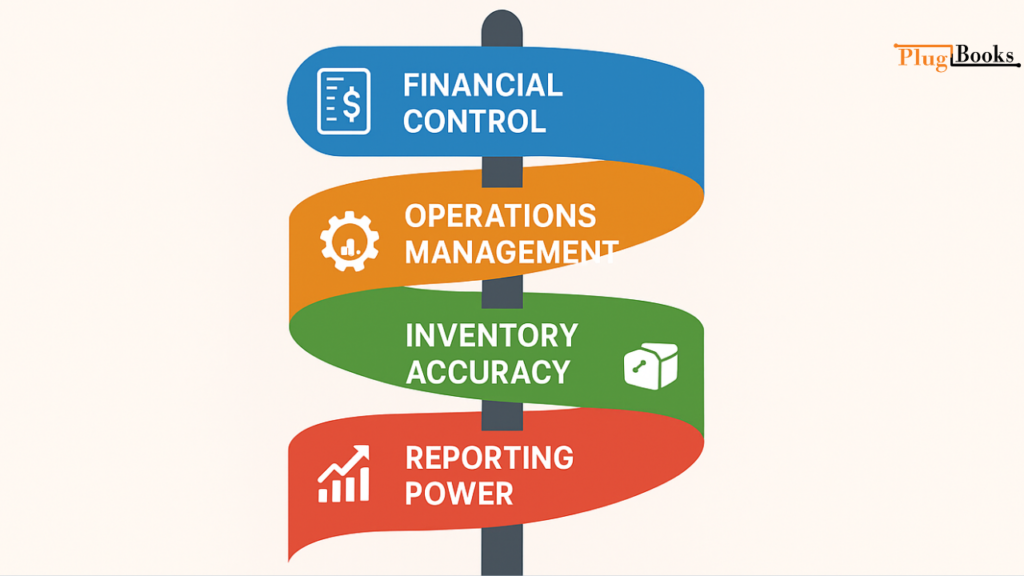
⭐ Core Features of Great Plains Accounting Software
1. Financial Control
Batch posting, automated ledgers, budget management.
2. Operations Management
POs, SOPs, manufacturing, job costing.
3. Inventory Accuracy
FIFO/LIFO, lot tracking, reordering intelligence.
4. Reporting Power
SmartLists, MR, KPIs, advanced analysis.
All these features make GP a strong option when searching for bookkeeping and accounting software with enterprise-level capability.
⭐ Step-by-Step: Using GP for Daily Business Accounting
1. Daily Accounting Tasks
- Post batches
- Review GL entries
- Update AR/AP aging
2. Recordkeeping Tasks
- Record vendor bills
- Classify expenses
- Upload receipts
- Match deposits
3. Inventory & Order Tasks
- Process sales
- Track shipments
- Reconcile stock
Works smoothly for companies switching between departments or managing multiple entities with accounting software for multiple businesses.
⭐ Common Great Plains Issues & Fixes
1. Stuck Batches
Clear with GP Utilities or SQL unlock.
2. Posting Failures
Check security roles & source documents.
3. Slow Reports
Rebuild indexes and archive old fiscal years.
4. Integration Manager Timeouts
Increase timeout settings and clean staging tables.
⭐ Security Tips for Great Plains Users
What to Do
- Enable audit trails
- Restrict user roles
- Create password rotation rules
- Use SQL encryption
- Schedule automated backups
- Monitor remote access

⭐ PlugBooks.io: The Smart Helper for GP Users
PlugBooks fills in the holes left by older systems by:
- Syncing online store sales with GP
- Getting rid of manual entries
- Linking Shopify, Amazon, and eBay
- Providing dashboards for all businesses and locations
- Helping firms who use accounting software for more than one business stay organized
- Helping both accounting and bookkeeping software function together
PlugBooks is the answer if you enjoy GP but hate how hard it is to keep track of your finances.
FAQs
1. Can Great Plains open more than one company file?
Yes, GP can keep track of several businesses in one database.
2. Can Great Plains completely replace bookkeeping tools?
It has most of the features, but when you combine it with PlugBooks, you get automation that GP doesn’t have.
3. Is it possible for Great Plains to work with online stores?
Yes. PlugBooks.io connects Great Plains (Dynamics GP) with online stores like Amazon, Shopify, and eBay, automatically syncing sales, fees, and payouts for accurate accounting.
4. Is it safe to host Great Plains on the cloud?
Yes, but only if it’s hosted on Azure or a secure data center with encryption.
5. What skills do you need to utilize GP every day?
Basic knowledge of accounting and experience with batch processing.
⭐ A Quick Summary
- We broke down myths regarding accounting software for the Great Plains.
- Went over every main module
- Talked about automated features
- Talked about preserving records
- Added a genuine business tale
- Showed how PlugBooks makes work easier
- Used all secondary keywords in a natural way
⭐ To sum up
Great Plains accounting software is still one of the most reliable financial systems for organizations of all kinds, despite what some say. It is great for firms that use accounting software for more than one business or are looking for better bookkeeping and accounting software because it is automated, can generate reports, and has a lot of features.
And solutions like PlugBooks.io make it really easy to keep track of sales, money, and reconciliation across several channels.
PlugBooks is the upgrade your GP system needs if you want to make accounting easier, save time, and get rid of manual work.