




Any store owner who wants to combine their online and in-store sales has to know how to use Shopify and POS. Shopify’s point of sale system makes it easy for businesses with physical stores to handle payments and keep track of their inventory. Also, connecting with PlugBooks makes your accounting and financial reports automatic, which saves you time and cuts down on mistakes.
In this blog, we’ll talk about how Shopify and POS work together, the best hardware to use, how to set it up, how much it costs, and why PlugBooks is a game changer for your retail accounting.

1. What Are Shopify and POS, and Why Use Them Together?
Shopify is a great ecommerce platform that enables you to create an online store, keep track of your products, and make sales. Retailers utilize POS, or Point of Sale, to finish sales in person at a store. Shopify and POS work together to give you a single dashboard that lets you manage both online and physical sales.
Retailers can use Shopify and POS together to keep track of their inventory, sales data, and customer information all in one place. This makes things run more smoothly and with fewer mistakes. This connection helps keep everything in sync, whether you have a small store or a store with multiple locations.
For detailed information on Shopify POS pricing, check out Shopify POS Pricing.
2. How Does the Shopify POS System Work for Brick-and-Mortar Stores?
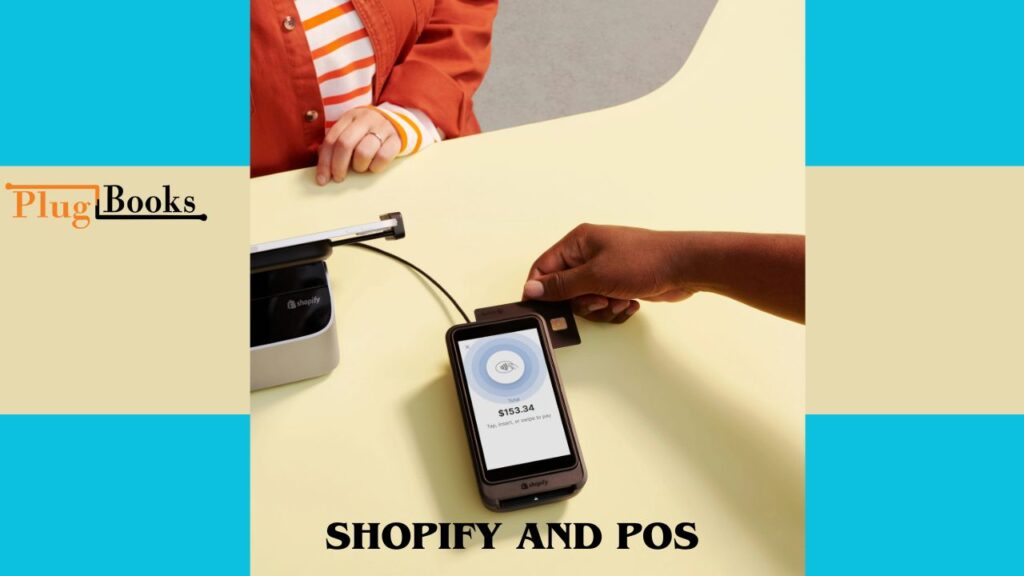
If you’re wondering how the Shopify POS system works for stores that are open to the public, it basically connects the sales hardware in your store to your Shopify backend. When a consumer buys something from your business, the POS system handles the payment via hardware like cash drawers or card readers.
It then updates your Shopify inventory and sales data right away.
The Shopify POS app can be used on tablets and smartphones, so it may be used in a variety of retail settings. Real-time records are kept of every sale and return.
Learn more about how PlugBooks connects Shopify with QuickBooks.
PlugBooks can also automatically sync your Shopify POS sales data with your accounting software, like QuickBooks or Xero, so your financial records are always correct without you having to do it yourself.
3. Shopify POS Hardware Options and Prices
It’s important to pick the correct hardware. Shopify sells official POS gear that works properly with their system, like card readers, barcode scanners, receipt printers, and cash drawers. Prices change based on what you need:
- Shopify POS card reader: prices start at $49
- More than $100 for barcode scanners
- Printers for receipts cost $200 or more.
- Cash drawers cost more than $150.
You can also get hardware from third-party companies, but using Shopify POS hardware options and prices makes sure everything works together and you get help. PlugBooks allows you keep track of these expenditures and expenses along with your sales data, so you can see your finances clearly.
4. How to Set Up Shopify POS for Retail Stores
It’s easy to set up Shopify POS. To start, link your Shopify store account to the POS app. After that, add your shop workers and provide them authorization. Set up your payment options and connect your hardware, such as barcode scanners or card readers.
You can stay within your budget and obtain the best setup by carefully choosing the right Shopify POS hardware options and costs. After setup, PlugBooks integration lets you automatically sync sales transactions, which speeds up and simplifies tax filing and bookkeeping. To get started, create your PlugBooks account here.
5. Shopify POS vs Other Point of Sale Systems – Which is Better?
Which is better, Shopify POS or another point of sale system? It all depends on what your firm needs. Shopify POS is great since it works perfectly with Shopify ecommerce, is easy to use, and works on a lot of different devices. Some competing systems might have better inventory capabilities or hardware options, but they might not have the same online and offline experience as Shopify.
Shopify POS is usually the best choice if you already have an online business using Shopify. PlugBooks adds to this by automatically reconciling your sales and accounting software, which many POS systems don’t accomplish right away.
6. Where to Buy Shopify POS Card Reader Near Me
Do you want to know where to acquire a Shopify POS card reader near you? You can buy official Shopify POS hardware via Shopify’s online store or from stores that have been approved by Shopify. A lot of local electronics retailers also sell products that work with them.
When you buy from official providers, you can be sure that your gear will work well with Shopify POS. Keep your budget in mind when you buy things, and think about using PlugBooks to keep track of these purchases along with your business spending.
7. How Much Does Shopify POS Cost Per Month?
A popular inquiry about cost is, “How much does Shopify POS cost each month?” There are two POS plans from Shopify:
- Shopify POS Lite is free with all Shopify plans and lets you sell in person.
- Shopify POS Pro costs $89 a month per location and offers additional capabilities like omnichannel inventory, staff roles, and more.
You will also have to pay for hardware and a Shopify subscription. PlugBooks makes it easy to keep track of these monthly charges along with your sales and spending, which helps you maintain your business healthy financially.
8. Additional Tips for Retailers Using Shopify and POS
To get the most out of Shopify with POS, train your team well and keep track of your inventory. For correct bookkeeping and tax compliance, make sure to sync your sales with PlugBooks on a regular basis. By automating these tasks, you may spend less time on paperwork and more time expanding your business.

FAQs
Q1: Can I use Shopify and POS without an online store?
Yes! Shopify POS Lite works independently for in-person sales, but syncing with an online store gives you better inventory and customer management.
Q2: Does Shopify and POS support multiple locations?
Absolutely. Shopify POS Pro supports multiple store locations with centralized inventory and sales reporting.
Q3: How secure is Shopify and POS for payments?
Shopify POS uses PCI-compliant hardware and encrypted transactions to keep payments secure.
Q4: Can PlugBooks help manage Shopify and POS tax reporting?
Yes! PlugBooks syncs your POS transactions with accounting platforms, simplifying tax filing and compliance.
Q5: What devices are compatible with Shopify and POS?
Shopify POS works on iOS and Android devices, and supports official Shopify hardware plus some third-party devices.
In conclusion
Shopify and POS work together to make it easy to manage retail sales across both physical and online channels. When you use PlugBooks with this, your sales and accounting are automatically linked, which cuts down on mistakes and saves you time. Shopify and POS with PlugBooks are a great way for stores to grow quickly in 2025.