




Margin calculator tools are essential for every online seller aiming to boost profitability—yet many entrepreneurs still misjudge their earnings by overlooking hidden costs, taxes, shipping, and platform fees. With so many factors in play, depending on spreadsheets or guesswork can jeopardize your business.
In this blog, you’ll learn how PlugBooks’ Pro Profit Analyzer helps sellers on Amazon, eBay, and Shopify maintain healthy profits, how it incorporates a profit margin checker, a gross margin tracker, and guides you on accurately determining product profitability every single time.
What Is a Margin Calculator?
A profit analysis tool helps Amazon, eBay, and Shopify sellers uncover their real earnings by examining revenue, total expenses, platform fees, and net profit.
Instead of crunching numbers manually in spreadsheets, a profit analyzer automates the whole process—revealing the true earnings per product after factoring in shipping, taxes, advertising, COGS, and platform fees.
For eCommerce sellers, it works like a real-time profit lens, revealing whether a product is genuinely profitable or silently losing money.

Why Margin Calculation Matters for Online Sellers
Selling online looks simple, but profitability is not. After platform fees, ads, refunds, shipping, packaging, taxes, and COGS—most sellers don’t know their true earnings.
A profit analysis tool ensures your pricing decisions are driven by accurate data, not guesswork or assumptions.
Real-Life Story: How a US Seller Fixed Her Failing Margins
Sarah from Texas was an Amazon FBA candle seller. She believed each candle made her a $6 profit. After using PlugBooks’ profit analyzer, she discovered:
- FBA pick & pack fee
- Storage cost
- PPC ad spend
- High return ratio
- Packaging upgrades
…were silently killing her profit.
PlugBooks’ built-in profit tracker showed that her actual profit was just $1.17 per candle.
Sarah adjusted her pricing, optimized packaging, and cut a few expenses. Within two months, her profits rose by 38%, proving how essential accurate margin analysis is.
What Sets PlugBooks’ Pro Profit Analyzer Apart?
✔ Built for Amazon, eBay & Shopify
It auto-imports marketplace fees, COGS, ads, shipping, and taxes.
✔ Includes all essential calculators
- profit margin calculator
- gross margin calculator
- Pricing optimization tool
- Break-even insights
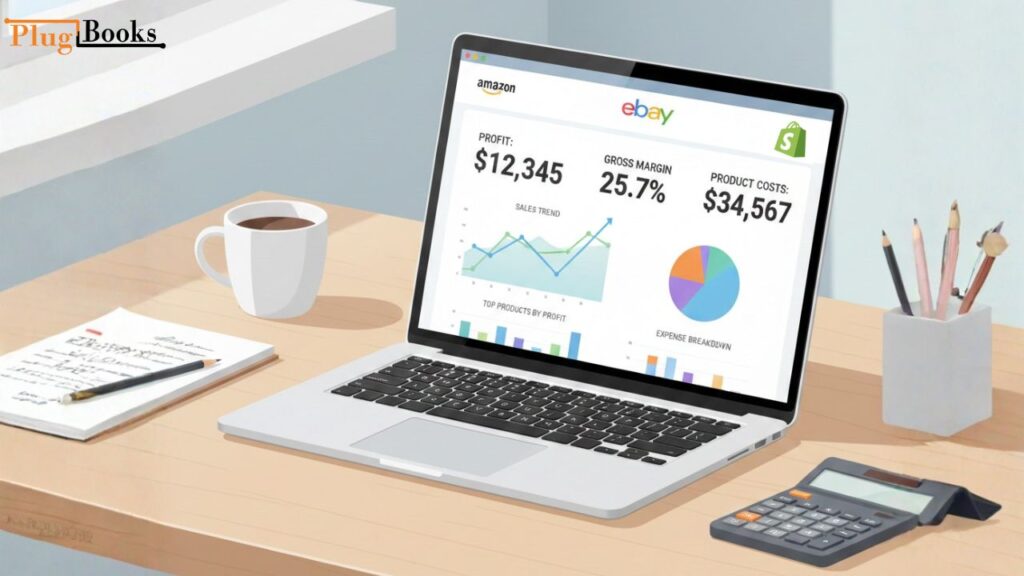
- Multi-channel profit dashboard
✔ Real-time financial accuracy
No manual entry. No outdated spreadsheets.
How to Calculate Profit Margin (Simple + Accurate Method)
Many sellers struggle to understand how to calculate profit margin correctly. Here’s the easiest formula:
Profit Margin = (Net Profit ÷ Revenue) × 100
But this oversimplifies things. On Amazon, eBay, and Shopify, you must include:
- Platform fees
- Payment processing charges
- Shipping cost
- Refund loss
- Packaging
- Advertising (PPC)
- Taxes
- COGS
PlugBooks’ automated profit analyzer manages all these factors seamlessly, delivering fully accurate results.
To reinforce learning, PlugBooks also walks sellers through how to calculate profit margin manually so they understand the math behind every product.

How to Figure Out Amazon’s Margins
Amazon’s fees are often shifting and hard to forecast.
PlugBooks figures out:
- Fee for referring
- FBA costs
- Charge for storage
- Cost of PPC ads
- Penalties for returns
- Shipping
The built-in profit margin calculator and gross margin calculator give sellers fast feedback, so they don’t have to worry about listings that are too high or too low.
eBay Margin Calculation
eBay margins depend heavily on:
- Final value fee
- Insertion fee
- Shipping label cost
- Ad rate for “Promoted Listings”
- Payment processing fees
With PlugBooks, eBay sellers can price more strategically while using the profit tracker to verify the profitability of each product.

Shopify Margin Calculation
Shopify sellers face several hidden costs:
- Shopify Payments fee
- App subscription costs
- Theme fees
- Discount campaigns
- Shipping & fulfillment
- Chargeback losses
PlugBooks helps sellers master how to calculate profit margin by pulling live data from Shopify into the central dashboard, ensuring every SKU remains profitable.
Features of PlugBooks’ Pro Profit Analyzer
1. Real-Time Marketplace Fee Detection
Automatically updates Amazon, eBay, and Shopify fees.
2. Smart Pricing Engine
Recommends best selling price based on margin goals.
3. Bulk Product Margin View
Review 100+ SKUs in seconds.
4. COGS & Inventory Sync
Ensures gross profit tracking remains accurate.
5. Multi-Channel Profit Dashboard
One place to view your entire profitability.
6. Bookkeeping + Margin Analysis
Your margins, accounting, and taxes stay aligned—giving you a complete financial picture.

Common Margin Problems Sellers Face
- Not including all variable fees
- Assuming COGS stays constant
- Underestimating ad cost
- Overdiscounting
- Miscalculating taxes
- Using outdated spreadsheets
PlugBooks resolves all these issues with an automated profit analyzer, ensuring your pricing remains accurate at all times.
PlugBooks for Better Profitability
When your bookkeeping connects directly to your margin data, your business becomes predictable, scalable, and financially secure. PlugBooks unifies:
- Income
- Expenses
- Inventory
- Sales
- Taxes
- Fees
…and delivers the most accurate profit insights in real-time.
What makes PlugBooks even more powerful is its seamless integration with QuickBooks and Xero. PlugBooks automatically syncs your sales, COGS, fees, payouts, and expenses from You can connect Amazon, eBay, and Shopify to these accounting solutions without having to do any work. Your financial records will always be clean, accurate, and ready for taxes since every order, refund, shipping charge, and fee is properly categorized.
PlugBooks makes sure that your bookkeeping, margin monitoring, and financial reporting are all in sync, no matter if you use QuickBooks Online or Xero. This gives sellers a single source of truth for their whole firm.

Quick Recap
- The profit analyzer uncovers your actual earnings.
- PlugBooks automatically syncs fees from Amazon, eBay, and Shopify.
- The platform includes a profit tracker, a gross margin tool, and step-by-step instructions on how to determine product profitability.
- Sellers gain clear insights, make smarter pricing choices, and boost overall profits.
Questions and Answers
1. Can the PlugBooks margin tool deal with price variations that happen at different times of the year?
Yes, it keeps track of seasonal surges and declines and indicates what margins are predicted for certain months based on past data.
2. Does PlugBooks figure out the margins for bundles and multipacks?
Yes, for sure. It can handle bundles with more than one item and figures out margins by adding up the COGS for each item and the total marketplace fees.
3. Is it possible to compare how well my margins are doing with those of other businesses?
Yes, PlugBooks gives you industry benchmarks so you can see how your product margins stack up against the average margins in your field.
4. Does the profit analyzer display tax-adjusted earnings?
It can. PlugBooks allows you to add local, state, and international tax rules for accurate tax-adjusted margin reporting.
5. Can I export margin reports for investors or accountants?
Yes, detailed profit and margin reports can be exported in PDF, Excel, or Google Sheets format.
In conclusion
A reliable profit analyzer helps sellers see true earnings, set smarter prices, and reduce hidden losses. PlugBooks includes a profit tracker, a gross margin tool, and clear guidance on calculating product profitability for Amazon, eBay, and Shopify.
It also integrates seamlessly with QuickBooks and Xero, keeping all sales, fees, and expenses synchronized for accurate bookkeeping and real-time profit insights.