



Selling on Amazon can be highly rewarding, but some sellers eventually ask how do i cancel amazon seller account. This could be due to a business pivot, financial reasons, or the desire to take a permanent break from selling.
Closing your account improperly can lead to lost funds, missing reports, or unresolved customer issues, so it’s essential to follow the correct steps. In this guide, you’ll learn the latest 2026 method for canceling an Amazon seller account safely, including preparation, device-specific instructions, and helpful tools like PlugBooks.
Key Considerations Before You Cancel Your Amazon Seller Account
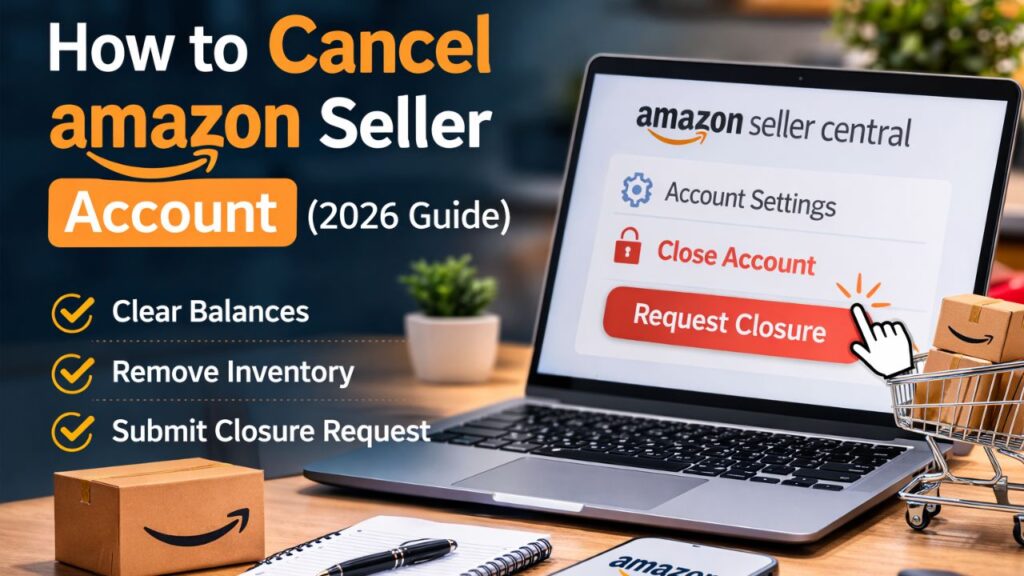
Before learning how do i cancel my amazon seller account, it’s important to understand these key points:
- Complete all pending orders: Ensure all orders are shipped or refunded.
- Clear account balances: Pay any outstanding fees or disputes.
- Remove FBA inventory: Return or dispose of all items stored in Amazon warehouses.
- Download reports and tax documents: Once closed, you lose access.
- Understanding closure is permanent: Closed accounts usually cannot be reopened.
By considering these steps in advance, you can minimize delays and prevent errors during closure.
Step-by-Step: How Do I Cancel Amazon Seller Account
Here’s the full process for canceling your account in 2026.
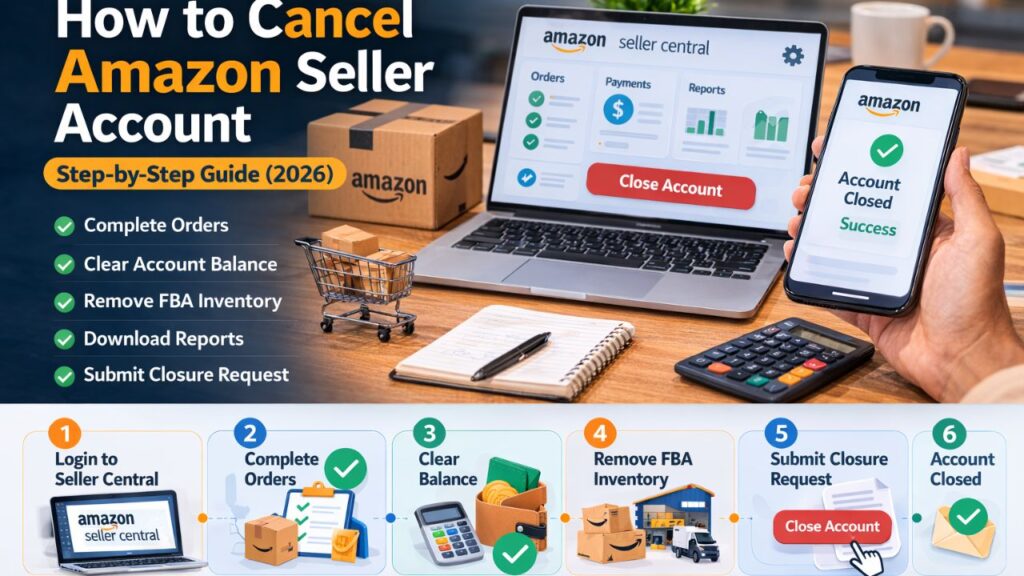
Step 1: Log in to Amazon Seller Central
- Open a desktop browser and sign in to Amazon Seller Central.
- Review your dashboard notifications.
- Check account performance, pending orders, and alerts.
Desktop access is recommended because all settings, reports, and FBA options are fully visible.
Step 2: Complete Pending Orders
Amazon requires all orders to be fulfilled before closure.
Checklist:
- Ship all outstanding orders.
- Process refunds for canceled or returned items.
- Respond to customer messages.
- Resolve any A-to-Z claims.
Completing this step ensures that you follow Amazon’s requirements and prevents closure delays.
Step 3: Clear Your Account Balance
- Navigate to the Payments section in Seller Central.
- Ensure all fees, chargebacks, or adjustments are resolved.
- Wait for any temporary fund holds to clear.
This prevents unexpected issues during the closure process.
Step 4: Remove FBA Inventory
If you use Fulfillment by Amazon:
- Go to Inventory → Manage FBA Inventory.
- Create a removal order.
- Choose to return inventory to your address or dispose of it.
Incomplete FBA removal will block account closure.
Step 5: Download Important Reports
Download reports to preserve financial records:
- Sales and settlement reports
- Tax documents
- Inventory and transaction reports
PlugBooks can automate downloading and organizing these files, which makes closure smoother and error-free.
Step 6: Submit the Account Closure Request
- Go to Settings → Account Info → Close Account.
- Confirm all preparation steps are complete.
- Submit the closure request.
Amazon will review your account to ensure compliance before approval.
Step 7: Wait for Amazon Approval
- Review usually takes 24 hours to several days.
- Amazon checks pending orders, balances, and inventory status.
- A confirmation email is sent after approval.
Once approved, your account is permanently closed.
How Do I Cancel Amazon Seller Account on Different Devices
You can submit an account closure request from multiple devices. Understanding each method ensures flexibility.
1. Desktop Browser
- Full visibility: All settings, reports, and FBA options are accessible.
- Recommended method for first-time closures.
- Steps: Log in → Account Info → Close Account → Submit request.
2. Mobile Browser
- Access Seller Central via a mobile browser.
- Submit closure request under Account Info → Close Account.
- Some FBA and report options may be limited.
Tips:
- Use a stable connection.
- Review all reports beforehand for completeness.
3. Amazon Seller App
- The app is primarily for monitoring orders, messages, and balances.
- Full account closure usually redirects to a browser.
- Best used for preparing your account before closure (checking pending orders, balances, and inventory).

Important Amazon Notice
According to Amazon Seller Central:
- Complete all orders.
- Clear account balances.
- Download reports and tax documents.
- Funds may be held for up to 90 days.
- Closed accounts generally cannot be reopened.
Including this official notice increases content credibility, aligns with Google EEAT guidelines, and strengthens user trust signals.
Common Problems When Closing an Amazon Seller Account
Issues usually occur when preparation is incomplete:
- Unfulfilled pending orders
- Negative account balance
- FBA inventory remaining
- Open refund claims or disputes
Properly reviewing your account prevents delays and errors.
Vacation Mode vs Full Closure
Not all sellers need permanent closure.
- Vacation Mode: Hides listings, pauses orders, and keeps the account active.
- Useful for holidays, inventory updates, or temporary breaks.
This can save time for sellers who only want a temporary stop rather than permanent closure.
How PlugBooks Helps Amazon Sellers
PlugBooks helps sellers organize Amazon financials automatically:
- Tracks sales, fees, and settlements
- Organizes tax documents and reports
- Prepares accounts for closure
- Reduces manual work and errors
PlugBooks makes answering how do i cancel amazon seller account much easier because all relevant data is already structured and ready.

FAQs
1. Do I need to notify customers before closing?
Yes. Inform active buyers to prevent disputes and maintain goodwill.
2. Will my reviews and ratings be lost?
Yes. Once the account is closed, all listings, reviews, and ratings are removed permanently.
3. Can I export my sales data before closing?
Absolutely. Use PlugBooks or Seller Central reports to export all sales and tax data.
4. What about subscriptions or linked services?
Cancel or migrate linked services (FBA, Ads, third-party apps) to avoid unexpected charges after closure.
5. Is partial closure possible?
No. Amazon only allows full closure. Use vacation mode for temporary pauses instead.
Quick Recap
- Log in to Amazon Seller Central
- Complete pending orders
- Clear balances
- Remove FBA inventory
- Download reports
- Submit closure request
- Wait for Amazon approval
This covers all essential steps for how do i cancel my amazon seller account safely.
Conclusion
Understanding how to cancel amazon seller accounts is essential for sellers stopping operations. Proper preparation—including completing orders, clearing balances, removing inventory, and downloading reports—ensures a smooth and stress-free closure.
Using tools like PlugBooks simplifies financial organization, making the closure process faster and more accurate. By following these steps, sellers can close their Amazon accounts professionally while preserving financial records and minimizing risks.
