



Amazon charge ID lookup becomes especially useful if you’ve ever looked at your bank statement and seen a charge from “Amazon Marketplace” and thought, “Wait, what is this?”, you’re not alone. Every day, buyers and sellers notice unfamiliar payments, and in 2026, Amazon has refined its payment systems even further.
That means more transactions, more instant payouts, and more complex Marketplace fees—but also more tools to figure out exactly where each dollar is going.
This is where Amazon transaction ID check comes in. Whether you’re a buyer trying to match a charge to an order, or a seller trying to reconcile payouts, understanding charge IDs is your first step to solving confusion—and avoiding unnecessary stress.
Here’s why charge IDs matter:
- Track and verify any unexpected charges in your account.
- Reconcile seller payments and Marketplace fees accurately.
- Detect duplicate charges or potential fraud quickly.
- Monitor digital subscriptions like Prime, Audible, or Kindle purchases.
- Save time and headaches when contacting Amazon support.
By the end of this guide, you’ll know exactly how to use charge IDs like a pro, and even how tools like PlugBooks can make the process effortless.
What exactly is an Amazon Charge ID?
Let’s break it down simply. A charge ID is a unique code Amazon assigns to every financial transaction. Think of it as the digital fingerprint of that payment. Every time you buy a product, subscribe to Prime, pay for an app, or receive a refund, Amazon generates a charge ID so that the payment can be tracked both internally and externally.
For Buyers:
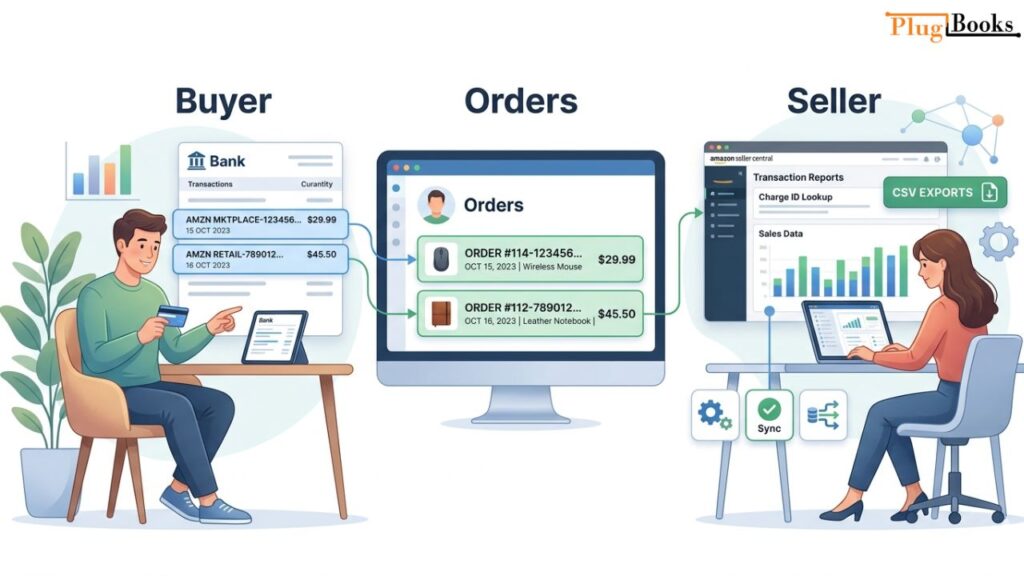
You’ll usually spot it in your bank or credit card statement. It helps you see which charge matches which order, especially if you’ve made multiple purchases in a short time.
For Sellers:
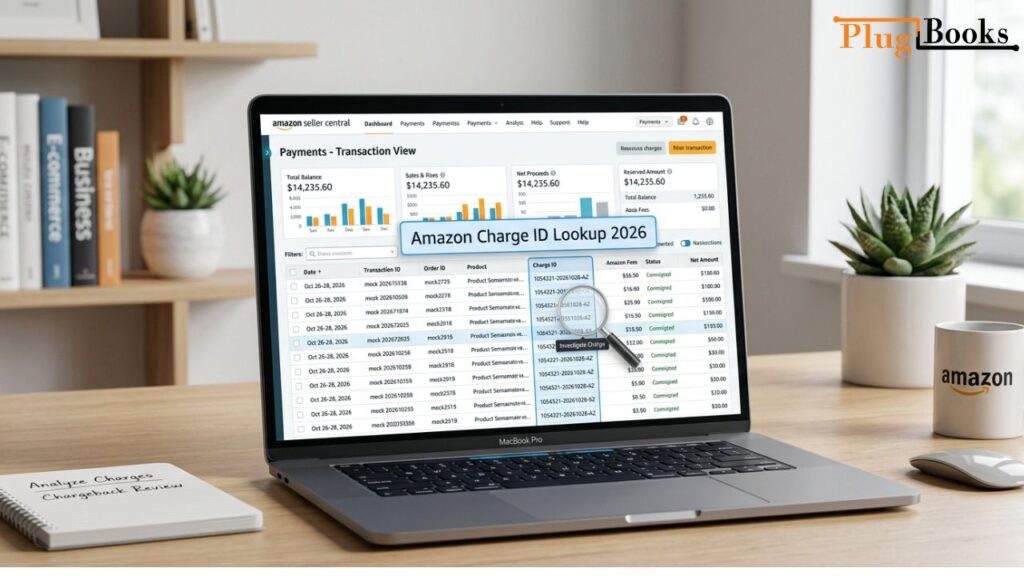
Charge IDs appear in Seller Central, under Payments → Transaction View. Each ID is linked to a specific order, fee, or refund. This is critical for reconciling accounts and ensuring your payout matches your sales.
Quick Tip: If you’re confused by charges, never ignore them. Matching the charge ID to an order or transaction report is the fastest way to clarify any mystery fees.
Step-by-Step Guide: How to Perform an Amazon Charge ID Lookup
For Buyers:
- Check your bank statement carefully.
Look for any Amazon charge. It might appear as “Amazon Marketplace,” “AMZN Mktp,” or similar. Note down the charge ID listed. - Compare with your Amazon orders.
Go to your Amazon account → Orders → Past Orders. Match the date and amount to the charge ID. - Check digital subscriptions.
Many times, charges come from Kindle content, Audible, Prime renewals, or app subscriptions, not physical products. - Consider split shipments or delayed billing.
Amazon sometimes splits orders into multiple shipments, each with its own charge ID. - Contact Amazon support if needed.
Provide the charge ID for faster resolution. It speeds up investigations and reduces back-and-forth emails.
For Sellers:
- Log in to Seller Central.
Navigate to Payments → Transaction View. - Search by charge ID.
Enter the specific charge ID you want to investigate. - Match charges to orders or fees.
Check if it’s a product sale, refund, or Amazon fee. - Export transaction reports.
Download CSV reports to reconcile payments with accounting software. - Use reporting tools for accuracy.
Tools like PlugBooks can automatically match Amazon charges to specific orders, saving time and reducing human errors.
New Amazon Policies Impacting Charges in 2026
Amazon’s payment and fee systems have changed in recent years, and in 2026, there are a few things buyers and sellers should know:
- Instant Payouts: Sellers can now access funds within hours for eligible transactions. While convenient, it means charge IDs appear faster and need prompt tracking.
- Marketplace Transaction Splitting: Certain Marketplace fees or promotions may appear as separate charges. Each has a unique ID, so reconciliation is key.
- Subscription & Digital Fees: Charges from Prime, Audible, Kindle, or apps may not match physical orders. Checking the charge ID ensures you know what you’re paying for.
- Enhanced Fraud Detection: Amazon now labels suspicious transactions and alerts account holders immediately. Knowing your charge ID lets you verify alerts quickly.
Pro Tip: Always check the description and ID in your bank statement. Sometimes, the same order can generate multiple charge IDs due to Marketplace policies or shipping splits.
Common Issues and How to Fix Them
Even with charge IDs, things can get confusing. Here’s what usually happens:
1. Charge Doesn’t Match Any Order
- Many charges come from digital subscriptions or app purchases. Always check your Amazon account for subscriptions.
2. Duplicate Charges
- Occasionally, bank or Amazon systems may process a charge twice. Contact Amazon support immediately with the charge ID for verification.
3. Delayed Refunds
- Refunds may take a few days to appear. Cross-check the refund’s charge ID in your Seller Central account.
4. Suspicious or Unauthorized Charges
- Amazon sends notifications for unusual activity. Always verify the charge ID before reporting fraud.
5. Split or Partial Shipments
- Large orders may be shipped in parts, each with its own charge ID. Reconcile each ID separately.
Tools to Simplify Charge ID Lookup
You don’t have to do all this manually. Here are some tools and features that make charge ID tracking easier:
- Amazon Order Reports: Download CSV or PDF reports with all transaction IDs. Perfect for reconciling payments.
- Bank Integration Tools: Automatically match Amazon charges to bank transactions.
- Notifications: Enable email or mobile alerts for unusual charges.
- Accounting Software: Software like QuickBooks or Xero can import Amazon charge IDs for easy bookkeeping.
Simplify Amazon Payments with PlugBooks
PlugBooks automatically matches Amazon charge IDs to orders, fees, and refunds, reducing manual work and errors. It also syncs seamlessly with QuickBooks and Xero, so your Amazon transactions flow directly into your accounting software. For busy sellers, this makes reconciliation faster, easier, and more accurate.

FAQs (People Also Ask)
Q1: What is an Amazon charge ID?
A: A unique code assigned to every Amazon payment or refund, helping buyers and sellers track transactions accurately.
Q2: How do I find my Amazon charge ID?
A: Buyers: check your bank or credit card statement. Sellers: log in to Seller Central → Payments → Transaction View.
Q3: Why doesn’t my Amazon charge match my order?
A: Some charges are for split shipments, Marketplace fees, or digital subscriptions. Always match the ID to your transaction reports.
Q4: Can I dispute an unknown Amazon charge?
A: Yes. Provide the charge ID to Amazon support—they’ll verify and resolve it faster than using only the order number.
Q5: How long does Amazon keep transaction records?
A: Amazon retains records for several years. Sellers can download historical transaction reports for accounting and tax purposes.
Q6: Can multiple charges come from a single order?
A: Yes, especially with split shipments or separate Marketplace fees. Each will have a unique charge ID.
Quick Recap
- Amazon charge IDs are the key to understanding every transaction.
- Buyers and sellers should always verify charge IDs to prevent confusion.
- Digital subscriptions and split shipments can create unexpected charges.
- Tools like PlugBooks simplify reconciliation and reduce errors.
- Monitoring charges ensures security, accuracy, and peace of mind.

Conclusion
In 2026, tracking Amazon payments has never been easier—but it’s still essential to know how to perform an Amazon charge ID lookup. Whether you’re a buyer clarifying a mysterious bank charge, or a seller reconciling Marketplace payouts, charge IDs give you clarity, control, and confidence over every transaction.
Instead of guessing or stressing over unknown charges, you can quickly match payments, verify details, and resolve issues in minutes. As Amazon continues to upgrade its payment and Marketplace systems, staying familiar with charge IDs will help you avoid confusion and manage your finances more efficiently.
At the end of the day, it’s all about transparency—knowing exactly where your money is going and why.