




How to close Amazon seller account is essential knowledge for anyone running an Amazon business. While selling on Amazon can be profitable, some sellers choose to move on—whether shifting to another marketplace, pausing their ecommerce journey, or restructuring their business. Knowing the correct way to close your account ensures a smooth and problem-free process.
Many sellers think closing their account is as simple as clicking a button in Seller Central. However, in reality, Amazon requires several steps before the closure request is approved. Specifically, sellers must resolve orders, remove inventory, clear balances, and wait for certain protection periods to end.
If these steps are skipped, Amazon may reject the request or delay the process.
This 2026 guide for sellers explains everything you need to know — from requirements and step-by-step instructions to common problems and important policy notes.
Key Points
• Closing an Amazon seller account is permanent
• Sellers must resolve all pending orders and claims
• Account balance must be zero before closure
• Amazon recommends waiting 90 days after the last sale
• Sellers should download reports and tax documents before closing
What Happens When You Close an Amazon Seller Account?
Before learning how to close Amazon seller account, it’s crucial to first understand what actually happens after the closure request is approved.
When your account is closed:
Your Listings Are Permanently Removed
All product listings associated with your seller account will be deleted from Amazon.
Seller Central Access Ends
You will no longer be able to log into Seller Central to manage orders, listings, or reports.
Payments May Still Process
If Amazon still owes payouts, the funds may continue to process through the settlement system even after the closure request.
Seller History Remains in Amazon Records
Amazon keeps seller data for compliance, tax records, and legal reasons.
Reopening the Account Is Difficult
Once closed, reopening the same account is generally not allowed unless Amazon support approves it.
Because of these factors, sellers should make sure they fully intend to close their store before submitting the request.
Important Requirements Before Closing Your Amazon Seller Account
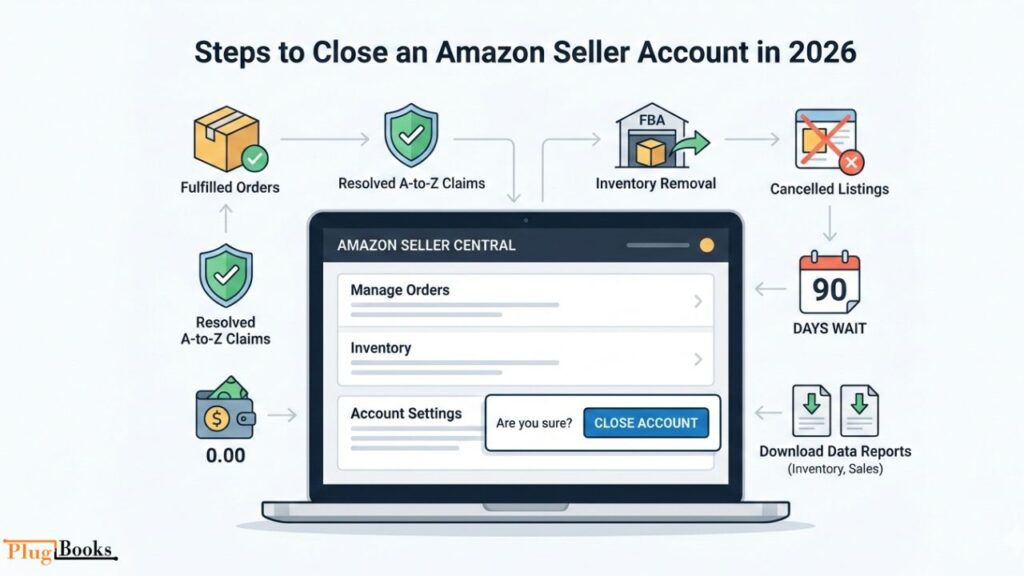
Amazon does not allow sellers to immediately close accounts if certain conditions are not met. Therefore, before submitting a closure request, you must first complete the following tasks.
Fulfill All Pending Orders
All customer orders must be shipped and completed.
Resolve A-to-Z Guarantee Claims
If customers have open disputes or claims, they must be resolved before closure.
Ensure Account Balance Is Zero
If your account has a negative balance, Amazon will require payment before closing.
Remove All FBA Inventory
Any products stored in Amazon fulfillment centers must be removed through an FBA removal order.
Cancel Active Listings
Your product listings should be closed or deleted.
Wait After the Last Sale
Amazon recommends waiting up to 90 days after your last sale. This allows time for customer returns, A-to-z claims, or chargebacks to be processed.
Download Important Reports
Next, sellers should download
- Sales reports
- Settlement reports
- Tax documents
- Inventory reports
Once the account is closed, access to this data becomes limited.
Step-by-Step: How to Close Amazon Seller Account (2026)
Finally, if all requirements are completed, you can now proceed with the closure process.
Step 1: Log into Seller Central
Sign in to your Amazon Seller Central account using your credentials.
Step 2: Open Account Settings
Navigate to the Settings menu located in the top-right corner of Seller Central.
Step 3: Select “Account Info”
Click Account Info to view your seller account settings.
Step 4: Find the Close Account Option
Scroll to the section where Amazon allows you to submit a closure request.
Step 5: Submit the Request
Follow the instructions and confirm that you want to permanently close the account.
Step 6: Wait for Amazon Review
Amazon will review your request and verify that all requirements have been met.
Typically, the approval process can take 24 hours to several days depending on the account status.
How to Close Amazon Seller Account on Mobile
Many sellers manage their business through smartphones. However, some Seller Central settings are limited in the mobile app.
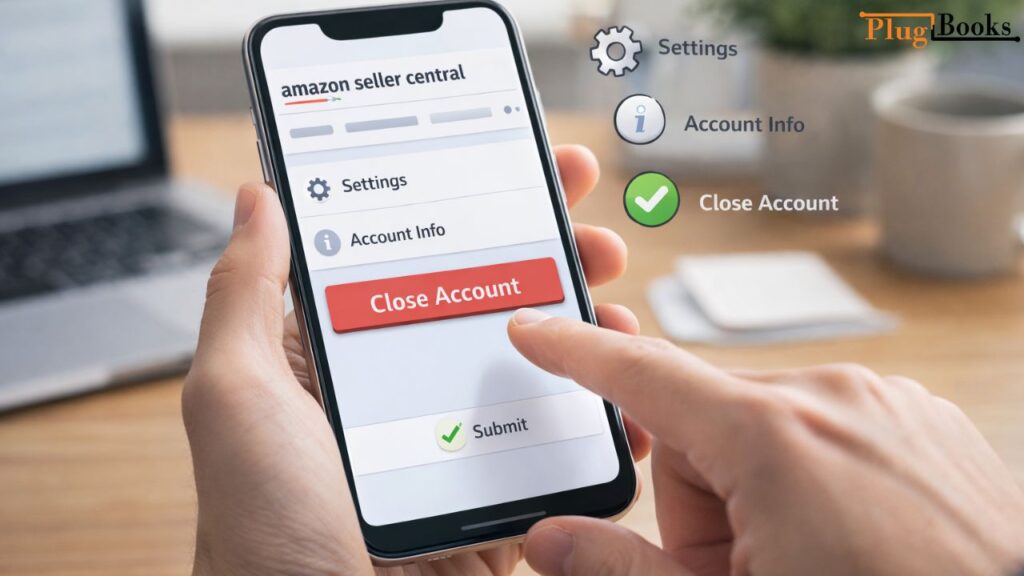
To close your account using a phone:
- Open your mobile browser
- Log into Seller Central
- Go to Settings → Account Info
- Scroll to the Close Account option
- Submit your request
For example, using a desktop browser is usually easier, especially when reviewing account information and reports.
Common Problems When Closing Amazon Seller Accounts
Even after following the steps above, some sellers face delays. Here are the most common reasons.
Pending Orders
Amazon will not allow account closure until all orders are fulfilled.
Negative Account Balance
If Amazon shows a negative balance, you must clear it before submitting the request.
Active FBA Inventory
Products stored in fulfillment centers must be removed or liquidated.
Account Suspension
If the account is suspended, Amazon may require appeal resolution before closure.
Open Customer Claims
Unresolved A-to-z Guarantee claims or refunds can delay the process.
Fixing these issues usually allows the closure request to proceed successfully.
Amazon Policies Sellers Should Know in 2026
Amazon regularly updates its seller policies, so it’s important to understand a few key rules before closing your account.
Data Retention Policy
Amazon keeps seller records even after account closure for tax, legal, and compliance purposes.
Reopening Closed Accounts
In most cases, closed accounts cannot be reopened easily. Sellers may need to create a new account with verification if they return to Amazon.
Multiple Account Policy
Amazon restricts multiple seller accounts unless permission is granted.
Future Policy Updates
Amazon frequently updates policies related to:
- seller verification
- tax documentation
- payment processing
- compliance checks
Sellers should always review Seller Central policy pages for the latest updates.
Important Things to Do Before Closing Your Amazon Seller Account
Moreover, closing your account without preparation can cause financial and record-keeping problems.
Before submitting your request, make sure to:
• Download sales and settlement reports
• Export tax documents for accounting
• Check pending refunds or returns
• Confirm final payouts from Amazon
• Save inventory and order history
• Verify FBA removal orders
Ultimately, taking these steps ensures your business records remain organized after closure.
Alternative Option: Temporarily Stop Selling Instead
Some sellers do not need to close their accounts permanently. Instead, they can pause selling.
Here are a few alternatives.
Vacation Mode
Temporarily disable listings while keeping your account active.
Remove Product Listings
Stop selling certain products without closing the account.
Downgrade to Individual Plan
Reduce monthly costs by switching from a professional plan.
These options allow sellers to return to Amazon later without creating a new account.
How PlugBooks Helps Amazon Sellers Before Closing Their Account
Before closing an Amazon store, sellers should ensure their financial records are clean and organized.
PlugBooks helps ecommerce sellers by:
- Exporting Amazon financial reports
- Reconciling payouts and settlement data
- Integrating Amazon with QuickBooks and Xero
- Organizing tax documents
- Preparing accounting records for business closure
In addition, this ensures sellers have complete financial documentation before leaving the platform.

FAQs
Can I reopen my Amazon seller account after closing it?
In most cases, closed accounts cannot be reopened. Sellers may need to create a new account and complete verification.
How long does Amazon take to close a seller account?
The process usually takes 24 hours to several days, depending on account status.
Do I still receive payments after closing my account?
Yes. If Amazon still owes payouts, they will continue processing through the settlement system.
What happens to my FBA inventory after account closure?
Inventory must be removed or liquidated before the account can be closed.
Can I open a new Amazon seller account later?
Yes, but Amazon may require additional verification to prevent duplicate accounts.
Does Amazon delete seller data permanently?
No. Amazon keeps seller data for legal, tax, and compliance reasons.
Quick Recap
• Fulfill all pending orders
• Resolve A-to-z Guarantee claims
• Ensure your account balance is zero
• Remove FBA inventory
• Download financial reports and tax documents
• Submit closure request via Seller Central
• Wait for Amazon confirmation
Conclusion
Understanding how to close Amazon seller account properly helps sellers avoid delays, rejected requests, and financial complications. First, by resolving all orders, then removing inventory, next clearing balances, and finally downloading important reports, you can complete the process smoothly in 2026.
Since closing an Amazon account is a significant business decision, it’s always wise to ensure your records and financial data are organized beforehand. Additionally, for sellers who want to reconcile Amazon payouts and export financial reports before leaving the platform, PlugBooks can help streamline accounting and reporting, ensuring a clean and hassle-free exit.
