



Struggling with your QB Online Login can instantly derail your morning routine. Whether you are staring at an unexpected spinning loading wheel or trying to verify a multi-factor authentication code while attempting to check your cash flow, accounting access bottlenecks are deeply frustrating. When you are managing business operations, you need fast, secure entry to your financial records without friction.
QuickBooks Online (QBO) serves as the central financial hub for millions of small business owners, corporate bookkeepers, and retail sellers globally. This comprehensive guide outlines official gateway portals, step-by-step sign-in procedures, and quick diagnostic fixes to help you bypass errors and secure your digital ledger.
Official QuickBooks Online Login Portals
To maintain security and protect your financial data from phishing scams, always navigate directly to official Intuit sign-in pages. Depending on your business structure and geographic location, you will use one of the following official gateways:
- Standard Business Sign-In: The primary access point for general business owners and corporate staff members managing standard company files.
- Canada Regional Portal: A localized gateway configured specifically for Canadian enterprises to manage local tax calculations, payroll settings, and GST/HST compliance tracking.
- Accountant Console Portal: A specialized dashboard designed for certified public accountants (CPAs) and independent bookkeeping firms to toggle seamlessly across multiple client ledgers.
Step-by-Step Guide: How to Sign In Securely
Accessing your cloud ledger safely requires a clean browser environment and verified credentials. Follow these steps to get into your dashboard smoothly:
- Launch a Secure Browser: Open an updated web browser such as Google Chrome, Mozilla Firefox, or Microsoft Edge.
- Navigate to the Official Portal: Type the official Intuit QuickBooks sign-in URL directly into your address bar to avoid malicious copycat websites.
- Input Your Credentials: Enter your registered email address or unique user ID, followed by your secure password.
- Complete Multi-Factor Authentication (MFA): Enter the verification code sent via SMS, email, or your preferred authenticator app when prompted.
- Access the Dashboard: Click the sign-in button to load your live financial feed and company homepage. If you sell on Shopify, Amazon, eBay, Etsy, or Walmart, this is also the point where tools like PlugBooks can automatically sync orders, payouts, taxes, and transaction fees into QuickBooks Online, reducing manual bookkeeping.
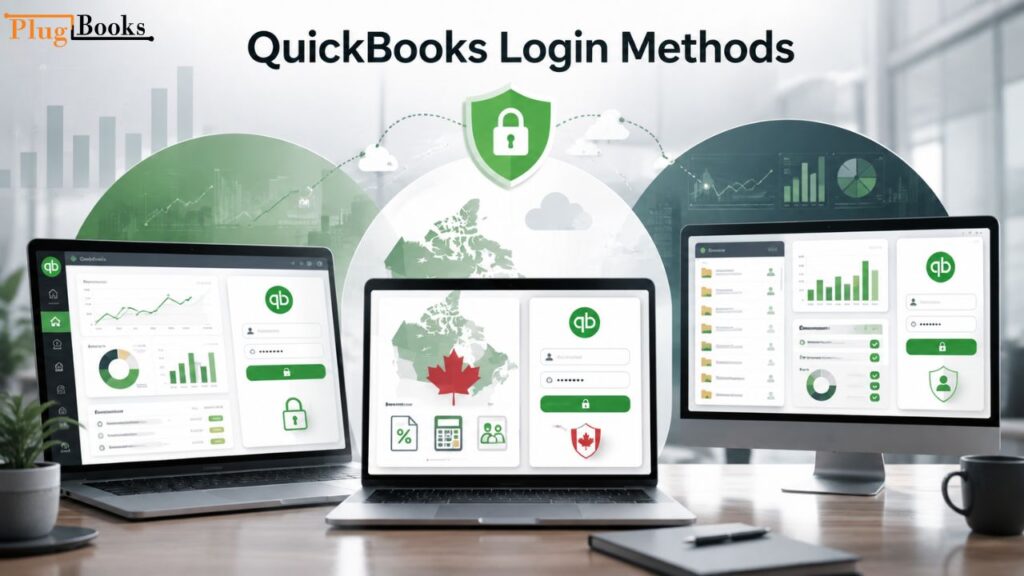
QuickBooks Login Methods Compared
| Portal Type | Target Audience | Key Regional & Functional Focus |
| Standard QBO Portal | Business owners, internal staff | General cash flow tracking, invoicing, and expense categorization. |
| Canadian Gateway | Canadian registered businesses | Local tax compliance, regional payroll, and GST/HST tracking. |
| Accountant Console | CPAs, professional bookkeepers | Multi-client file management, bulk reconciliation, and advisory tools. |
Troubleshooting Common QB Online Login Errors
Even experienced users encounter access hiccups from time to time. Use this diagnostic matrix to resolve roadblocks quickly:
- Incorrect User ID or Password Error: Triggered by credential mismatches. Click the “Forgot Password” link to initiate a secure email reset rather than repeatedly guessing and risking account lockouts.
- Infinite Loading Wheel or Blank Screen: Usually caused by corrupted browser cookies or cache conflicts. Open an Incognito or Private browsing window, or clear your browser data entirely.
- Missing Multi-Factor Authentication Code: Caused by mobile carrier SMS gateway delays. Check your spam folder, click “Resend Code,” or switch to an authenticator app for instant offline codes.
- Temporarily Locked Account: Triggered by multiple consecutive failed sign-in attempts. Wait out the security cooldown period or follow the automated account recovery prompt.
Expert Tips for Seamless Cloud Accounting Access
- Bookmark Official URLs: Save the exact sign-in URL directly to your browser bookmark bar to prevent accidental clicks on fraudulent search ads.
- Use an Authenticator App: Transition away from SMS text verification and use a dedicated authenticator app (like Google Authenticator) for faster, more secure sign-in codes.
- Keep Browsers Updated: Run the latest version of your preferred browser to ensure complete compatibility with Intuit’s security scripts and SSL certificates.
- Automate Data Imports: After signing in, connect trusted accounting automation tools such as PlugBooks to reduce manual imports and keep your QuickBooks Online records synchronized with your e-commerce sales channels.
Common Mistakes to Avoid During Sign-In
- Sharing Login Credentials: Never share your primary login details with team members. Always invite collaborators through user management settings with restricted role permissions.
- Ignoring Public Network Risks: Avoid logging into your financial ledger on unsecured public Wi-Fi networks without an active Virtual Private Network (VPN).
- Ignoring Browser Extensions: Avoid letting aggressive ad-blockers or script-blockers run on the sign-in page, as they frequently cause blank screens and failed script loads.
What to Do After a Successful QB Online Login
Logging into QuickBooks Online is only the first step. If you manually import sales data from e-commerce platforms every day, bookkeeping can quickly become time-consuming and error-prone.
For online sellers, PlugBooks automates data synchronization by importing orders, payouts, marketplace fees, taxes, and refunds from platforms like Shopify, Amazon, eBay, and Etsy directly into QuickBooks Online. This reduces manual work, improves reconciliation accuracy, and helps keep your financial records up to date.
Frequently Asked Questions (FAQs)
Q1. How can I bypass an infinite loading wheel on the login page?
Opening an Incognito or Private browsing window bypasses saved cache files and corrupted cookies, instantly loading the clean sign-in portal.
Q2. What is the official URL for the QuickBooks regional portal in Canada?
Canadian business owners should access the localized Canadian gateway to ensure proper regional tax handling and compliance features load correctly.
Q3. Why am I not receiving my multi-factor authentication text message?
Cellular network delays can stall SMS delivery. Click the resend button or switch to an app-based security token for instant verification.
Q4. Can multiple employees use the exact same login credentials?
No, sharing credentials violates security protocols. You should invite team members as individual users under your account settings.
Q5. How do I fix a blank screen when opening the Accountant portal?
Active ad-blockers or privacy extensions often block necessary authentication scripts. Disable your extension temporarily for the domain to restore normal page functionality.
Q6. What should I do if my account gets temporarily locked out?
If too many incorrect password attempts occur, the system locks access. Use the automated password recovery link sent to your registered email address to unlock it.
Q7. Does logging out of my ledger on one device end all active sessions?
No, remote sessions on other devices may remain active. Always click the formal sign-out button and close browser windows when using shared computers.
Q8. Can I automatically sync my e-commerce sales with QuickBooks Online?
Yes. After signing into QuickBooks Online, you can connect automation platforms such as PlugBooks to import orders, payouts, taxes, refunds, and marketplace fees from Shopify, Amazon, eBay, Etsy, and Walmart. This helps reduce manual data entry and keeps your books accurate.
Conclusion
Mastering your QB Online Login routine ensures you can check your cash flow, manage invoicing, and review ledgers without unnecessary delays. By using official gateway links, maintaining strong security habits, and utilizing automated workflow integrations like PlugBooks once you are inside your dashboard, you can keep your financial operations running smoothly and efficiently.
