




If you’re planning to grow your Amazon business, an Amazon Professional Seller Account is often your best bet. Unlike individual accounts, professional accounts are designed for sellers who want to scale their operations, access advanced tools, and sell more than 40 products per month.
Choosing between Amazon individual vs. professional seller plans can seem tricky at first. The right choice depends on your goals: are you aiming for higher volume, restricted categories, or detailed analytics?
With a professional seller account, you get access to bulk listing tools, advertising options, and detailed reports to manage your business efficiently. And with PlugBooks.io, your accounting becomes easier than ever — automatically syncing your Amazon transactions, reconciling sales, and keeping your financial records accurate.
Key Points You’ll Learn in This Guide:
- Differences between individual and professional seller accounts
- Benefits and requirements of a professional account
- Step-by-step guide on how to upgrade Amazon seller account to professional
- How to manage account issues and security tips
- How PlugBooks.io can simplify your Amazon accounting

Key Differences Between Amazon Individual and Professional Seller Plans
There are two primary seller plans on Amazon:
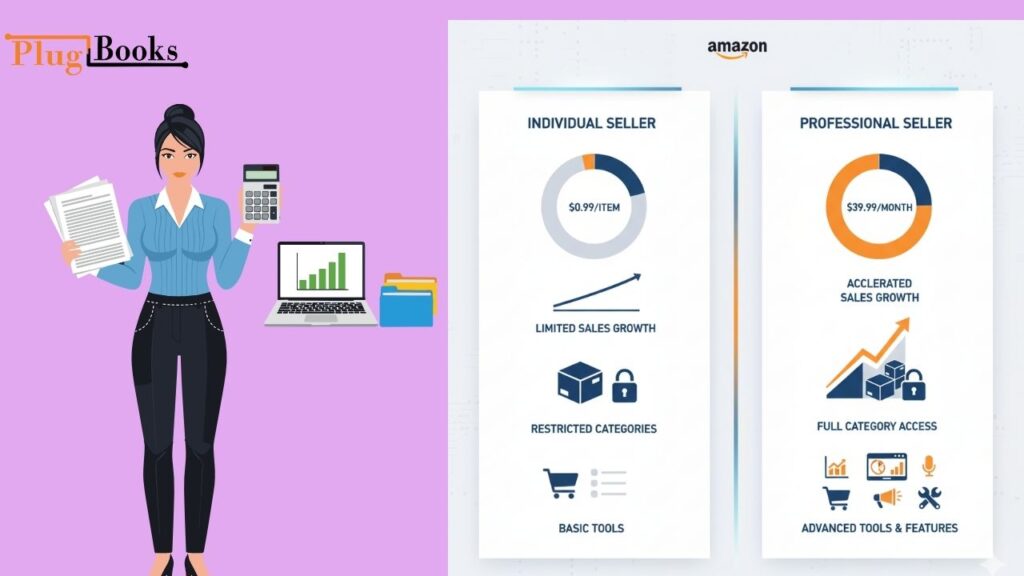
Individual Seller Account:
- Great for new sellers or those who don’t sell a lot of things
- You only have to pay $0.99 for each item sold (no monthly cost).
- Few tools and reports
- Not allowed to sell in some categories
Professional Seller Account:
- $39.99 a month with no per-item fees
- Access to advanced selling tools, advertising, and bulk listing
- Can be in limited categories
- Includes extensive reports and API integration
Other benefits for professional sellers on Amazon include tools for managing inventory, running promotions, and being able to join special programs like Amazon Brand Registry.
Are you going to sell more than 40 items a month? If so, getting a professional account is usually the best thing to do.
The advantages of having an Amazon Professional Seller Account
A professional account gives you a number of benefits:
- Sell in Limited Categories: Get into categories that are only open to certain sellers.
- Advanced Order Management: Better manage orders, keep track of inventories, and deal with refunds.
- promos and ads: Use Amazon ads and promos to boost sales.
- Lower Fees for Each Item: Great for vendors with a lot of sales.
- Reporting and Analytics: Get thorough sales reports to see how well you’re doing.
- Integration and Automation: Use solutions like PlugBooks.io to make accounting easier, match payments, and handle taxes.
You can grow your Amazon business with confidence and accuracy thanks to these features.
How to Change Your Amazon Seller Account to a Professional Account
It’s easy to upgrade your account. Here’s a guide that shows you how to do it:
- Sign in to Seller Central: Open your Amazon account dashboard.
- Go to Your Services in Account Info: Find “Sell as a Professional.”
- Click “Upgrade to Professional” to check your business information.
- Enter your billing information: The $39.99 monthly price will take the place of fees for each item.
- Confirm and Activate: You can use professional tools once you activate your account.
PlugBooks Tip: When you upgrade, PlugBooks.io immediately updates your accounting setup so that your finances reflect your new membership and any changes in fees.
Requirements for an Amazon Professional Seller Account
Make sure you meet these conditions before you upgrade:
- Real business information
- Tax ID or EIN (if you have one)
- Account at the bank for payments
- Credit card on file
- Following Amazon’s rules for selling
If you meet these prerequisites, the upgrade will go smoothly and your account won’t be suspended.
Common Problems and How to Fix Them
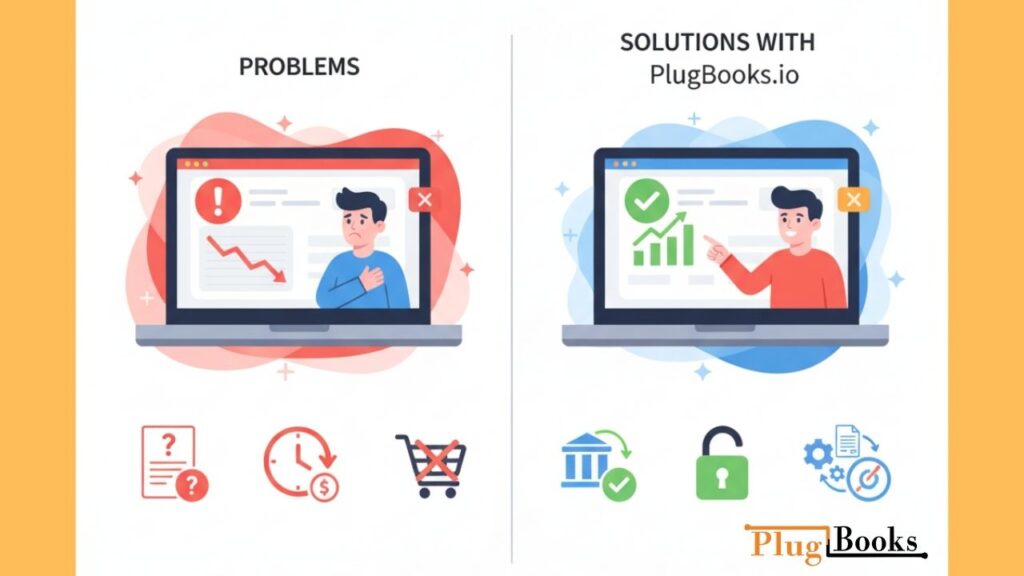
Even professional salespeople have problems from time to time. Some common problems are:
- Billing Confusion: To minimize problems, make sure your billing information is correct.
- Delayed Payments: To make sure transfers go smoothly, linked bank accounts need to be checked.
- Some restricted categories need clearance before they can be listed.
PlugBooks.io helps by automatically reconciling sales and finding errors in real time, so you don’t have to worry.
Advice on Security and Compliance
It’s important to keep your account healthy:
- Protect your login information
- Check your account notifications for changes to the policy.
- Don’t break the rules that could get you suspended.
- PlugBooks.io is a great way to keep track of sales and taxes.
- Always check to see if a product is eligible for a limited category.
Use PlugBooks.io to automate your Amazon accounting.
It might be hard to keep track of all the transactions, fees, and taxes that come with running a professional seller account. This is what PlugBooks.io does:
- Automatically sync Amazon transactions every day
- Make statements of profit and loss
- Make filing sales tax easier
- Work perfectly with QuickBooks and Xero
You can focus on selling with PlugBooks.io while your books are accurate and up to date.

FAQs About Amazon Professional Seller Account
Q1. Amazon Professional Seller Account vs Individual: Which one should I choose?
If you sell over 40 products/month or need access to advanced features, go professional.
Q2. Amazon Professional Seller Account Requirements:
A valid business, tax info, credit card, and compliance with Amazon policies.
Q3. Benefits of Amazon Professional Seller Account:
Access to restricted categories, bulk listing, promotions, analytics, and lower fees.
Q4. Cancel Amazon Professional Seller Account:
Go to Seller Central → Account Info → Close Account. Ensure all pending orders are fulfilled.
Q5. Change Amazon Seller Account to Professional:
Navigate to “Your Services” in Seller Central and select “Upgrade to Professional.”
Q6. How to Change Amazon Professional Seller Account to Individual:
Downgrade by contacting Amazon Seller Support or selecting “Switch to Individual” in account settings.
A quick summary
- A professional account is great for businesses who sell a lot of things or are really serious about what they do.
- The upgrade process is easy and costs a monthly charge.
- Some of the benefits are better tools, special deals, and the chance to join limited groups.
- PlugBooks.io takes care of accounting, reconciles transactions, and makes reporting easier.

In conclusion
For any business that is developing, choosing an Amazon Professional Seller Account is a smart move. You may grow your business quickly with advanced tools, advertising opportunities, and bulk listings.
By using PlugBooks.io, you can be sure that your books are always correct, which saves you time and keeps you from making mistakes. Want to make your Amazon business bigger? Get a better seller account today and let PlugBooks take care of the math while you sell!