



eBay item number search is one of the fastest ways to locate any product on eBay without scrolling through categories or long product lists.
If you’ve ever lost a product link or couldn’t find a saved listing again, this method can instantly take you back to the exact item.
Every eBay listing has a unique item number, and using it correctly makes searching much faster and more accurate for both buyers and sellers.
In this guide, you’ll learn how to find and use an eBay item number in a simple and practical way.
What is an eBay Item Number?
An eBay item number is a unique numeric ID assigned to every listing on the platform. It usually contains 12–15 digits and acts like a direct link to a product page.
Think of it as a digital shortcut that opens the exact product instantly.
Why it matters:
- Opens exact listings quickly
- Helps in order tracking
- Used in customer support
- Important for seller inventory management
How to Use eBay Item Number Search (Quick Method)
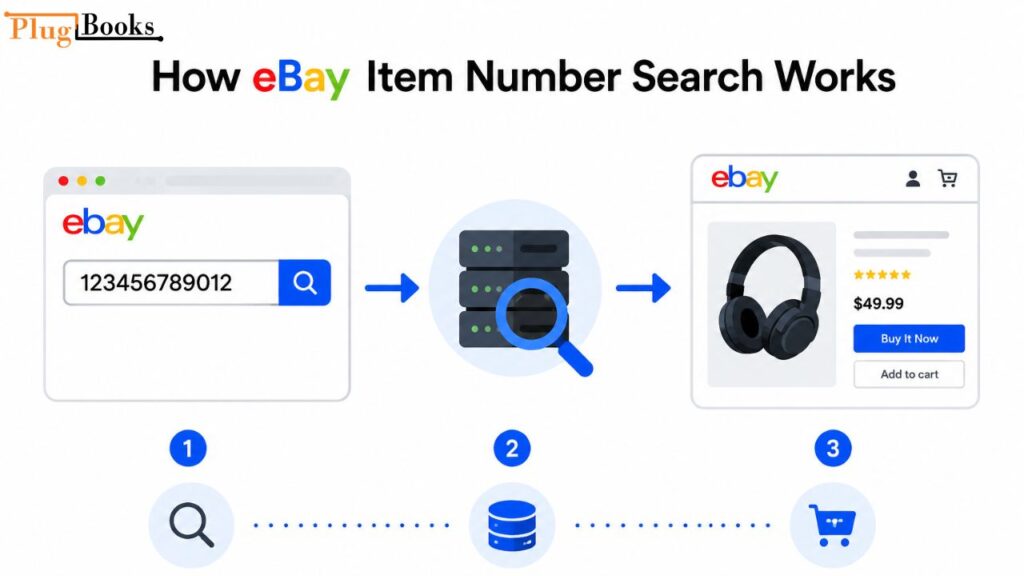
Using ebay item number search is very simple and takes only a few seconds.
Steps:
- Open eBay website
- Go to search bar
- Paste item number
- Press Enter
You will directly land on the product page without browsing.
Where to Find eBay Item Number
1. On Product Page
Scroll down and look for:
- Item number section
- Seller details area
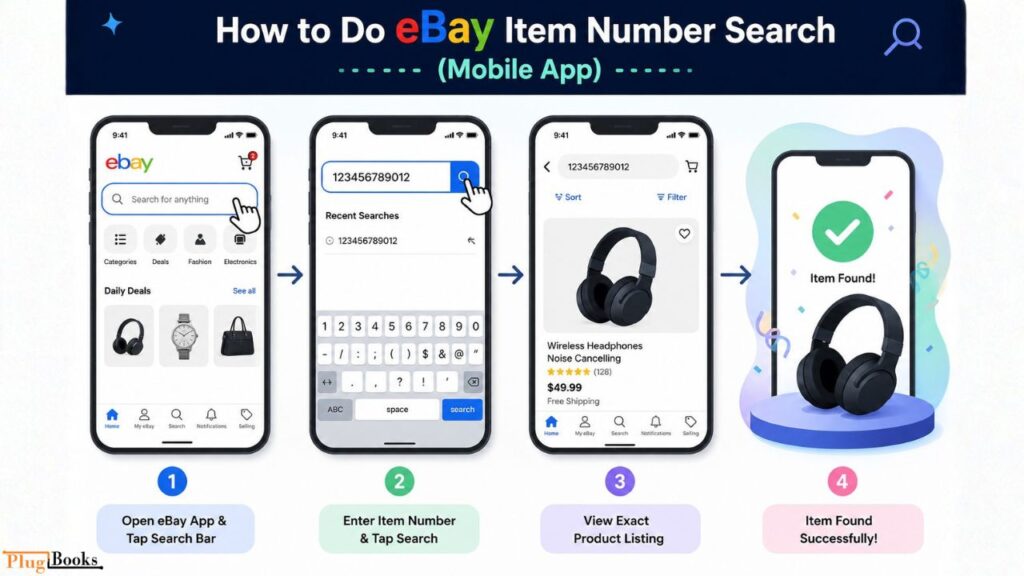
2. On Mobile App
- Open listing
- Tap “About this item”
- Scroll to find ID
3. Order Email
After purchase, eBay sends the item number in a confirmation email.
4. Purchase History
My eBay → Orders → View details
How eBay Item IDs Help Sellers Manage Their Stores
Sellers heavily depend on ebay item number search to manage their operations smoothly.
Common uses:
- Tracking active listings
- Managing inventory
- Handling customer disputes
- Matching orders
- Financial reporting
Many sellers also connect their store with tools like PlugBooks to automate sales tracking and bookkeeping.

Direct Item Search vs Traditional eBay Search
| Feature | Item Number Search | Keyword Search |
| Accuracy | Very High | Medium |
| Speed | Instant | Slower |
| Best For | Exact product | Browsing |
👉 If you already have the ID, ebay item number search is always the fastest method.
Common Problems & Fixes
1. Item Not Found
Reason: Listing removed
Fix: Check email or order history
2. Wrong Number
Reason: Typing mistake
Fix: Copy again carefully
3. Region Issue
Fix: Contact seller or check availability
4. App Not Working
Fix: Update app or clear cache
Safety Tips
- Use only official eBay app or website
- Never share login details
- Always verify item number before purchase
- Avoid fake listings
Why eBay Listing ID Lookup Is Important in 2026
In 2026, online shopping will be faster and more competitive. Users don’t want to waste time searching manually.
That’s why ebay item number search is becoming essential:
- Saves time
- Improves accuracy
- Reduces confusion
- Helps sellers manage data
Conclusion
eBay item number search is one of the simplest and fastest ways to find any product on eBay instantly.
Instead of browsing through thousands of listings, you can directly open any product using its unique ID.
For sellers, this method becomes even more powerful when combined with tools like PlugBooks, which helps manage inventory, orders, and financial reporting in one place.
Mastering this simple search method can make your eBay experience much faster, cleaner, and more efficient in 2026.

FAQs
1. What is eBay item number search?
It is a method of finding products using their unique listing ID.
2. Where can I find item numbers?
On product pages, emails, and purchase history.
3. Can I search eBay using item number?
Yes, just paste it into the search bar.
4. Why is item number not working?
The listing may be removed or incorrect.
5. Do sellers use item numbers?
Yes, for tracking and managing inventory.