




How to Deactivate Amazon Seller Account can be necessary for personal reasons, low sales, or business changes. Following the correct steps ensures funds, listings, and reports are handled safely, avoiding penalties or issues if you later need to close your Amazon seller account permanently.
Many sellers worry about frozen funds, account penalties, or mistakes during closure. Proper planning and careful execution make the process smooth, secure, and stress-free.
Key Points to Remember
- All orders must be fulfilled before you can close your account.
- Active listings need to be removed to avoid continuing obligations.
- Financial records and reports should be exported for taxes and accounting.
- Amazon may hold funds for up to 90 days after your last sale.
- Following the proper steps minimizes errors and ensures compliance.
By the end of this blog, you will have a complete understanding of the account closure process, step-by-step methods, common challenges, and tips for a smooth transition.
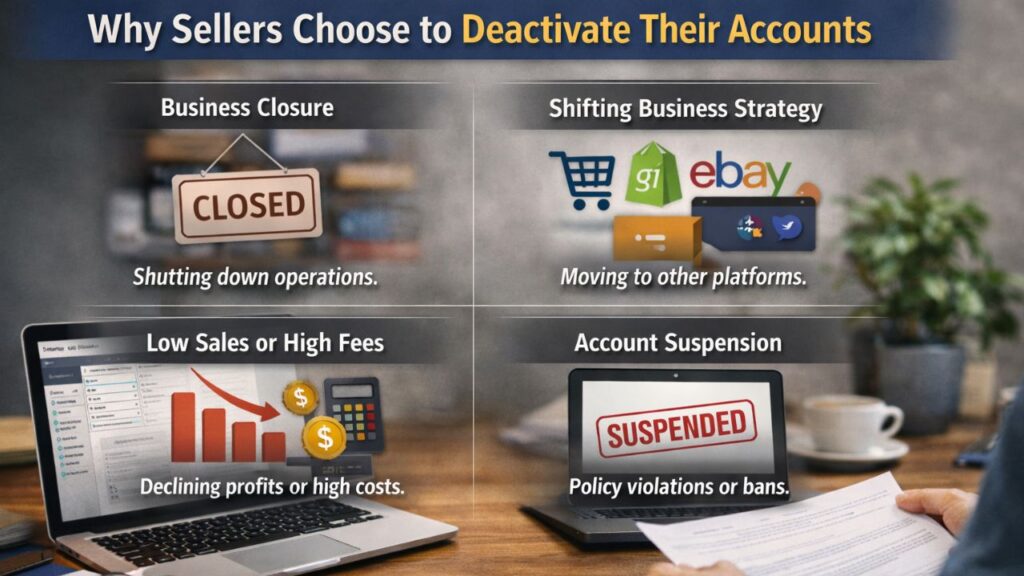
Why Sellers Choose to Deactivate Their Accounts
Sellers deactivate or close accounts for many different reasons. Understanding these motivations helps prepare for the account closure process.
Business Closure
Some sellers decide to shut down their operations due to financial changes, personal priorities, or business restructuring. In these cases, understanding how to close my Amazon seller account correctly is essential to avoid unresolved financial obligations.
Shifting Business Strategy
Some entrepreneurs move their business to other marketplaces like Shopify, eBay, or Walmart Marketplace. When transitioning platforms, a proper seller account closed Amazon process ensures that your business records remain organized.
Low Sales or High Fees
Selling on Amazon involves subscription fees, referral fees, advertising costs, and inventory expenses. When profit margins shrink, some sellers choose to deactivate their accounts rather than maintain an inactive store.
Account Suspension
In some situations, sellers may already have an Amazon seller suspended account due to policy violations, customer complaints, or performance issues. In these cases, sellers sometimes prefer to close the account entirely rather than go through the reinstatement process.
Permanent Deactivation of an Amazon Seller Account
The term permanent deactivation of an Amazon seller account refers to completely closing your account so it can no longer sell on Amazon.
Before submitting a closure request, the following conditions must be met:
- Pending orders are completed
- Refunds, disputes, and claims are resolved
- All active listings are deleted
- Account balance is zeroed out
- Financial records and tax reports are downloaded
If a seller attempts to close an account with unresolved issues, Amazon may reject the request. This is particularly common if the account has an Amazon seller suspended account status or unresolved financial claims.
Step-by-Step Guide: How to Deactivate Amazon Seller Account
Step 1: Complete All Pending Orders
Amazon requires sellers to fulfill all customer orders before deactivation. This protects buyers and prevents unresolved complaints.
Go to:
Seller Central → Orders → Manage Orders
Here you can confirm whether there are pending, unshipped, or partially fulfilled orders.
If an account is closed while orders remain open, Amazon may delay the seller account’s closed Amazon request until all transactions are resolved.
Step 2: Remove Active Listings
To prevent additional sales, you must remove all product listings.
Steps:
- Go to Seller Central → Inventory → Manage Inventory
- Select all products
- Click Delete Product and Listing
If you manage a large catalog, Amazon provides bulk upload files that allow faster removal of multiple listings.
Deleting listings is a necessary step before completing the how to close my Amazon seller account process.
Step 3: Clear Financial Transactions
Amazon will not allow account closure if there are pending financial balances.
Make sure that:
- All funds have been transferred to your bank
- Refunds are completed
- No open A-to-Z claims remain
- Advertising balances are cleared
Amazon typically holds funds for 90 days after the last sale to ensure buyers can request refunds if necessary.
If you previously had an Amazon seller suspended account, the financial review process may take longer.
Step 4: Download Important Reports
Before closing your account, it is extremely important to save your business records.
Recommended reports include:
- Sales Reports – Historical sales data
- Settlement Reports – Payment summaries
- Tax Reports – Required for filing taxes
Many sellers integrate their accounts with PlugBooks, which connects Amazon with QuickBooks and Xero to automatically organize and export these reports.
Downloading reports ensures that even after a seller account closed Amazon request is approved, you still have access to all financial data.
Step 5: Submit Account Closure Request
Once all requirements are completed, you can submit your account closure request.
Steps:
- Log in to Amazon Seller Central
- Go to Settings → Account Info
- Click Close Account
- Confirm the request
Amazon will review your account and send a confirmation email once the process is complete.
For most sellers, approval takes 24 hours to several days, depending on account history and outstanding transactions.

Methods to Deactivate Your Amazon Seller Account Quickly
If you want to speed up the closure process, consider these tips:
- Resolve disputes before submitting the request
- Remove listings early
- Ensure zero account balance
- Export financial reports ahead of time
These steps reduce the chances of Amazon delaying your request to close my Amazon seller account.
Common Issues During Deactivation
Even when sellers follow the correct process, some challenges may occur.
Pending Orders or Claims
If orders remain unresolved, Amazon will block the seller account closed Amazon request.
Unsettled Payments
Funds may remain on hold for up to 90 days after your last transaction.
Listings Not Removed Properly
Sometimes listings remain active in the system, preventing closure.
Account Verification Delays
If your account previously had compliance issues or an Amazon seller suspended account status, Amazon may review additional documents before approving closure.
Keeping screenshots and communication records can help resolve these issues quickly.
Deactivating vs Using Vacation Mode
Many sellers confuse account closure with vacation mode.
Vacation Mode
Vacation mode temporarily hides listings and pauses orders. This is ideal for:
- Holidays
- Inventory updates
- Short business breaks
Permanent Account Closure
Permanent closure means your store cannot sell on Amazon again unless a new account is created.
If you only need a temporary break, vacation mode is usually the better option rather than permanently choosing how to close my Amazon seller account.

Accounting and Record-Keeping Tips
Closing an Amazon account does not remove your tax responsibilities. Proper documentation is essential.
Recommended steps include:
- Export all settlement, order, and tax reports
- Store records for 3–5 years
- Use accounting software to track historical data
PlugBooks helps sellers automate this process by integrating Amazon with QuickBooks and Xero, making it easier to manage financial records even after a seller account closed Amazon process is completed.

FAQs
1. Can an Amazon seller account be deactivated?
Yes. After completing orders, clearing balances, and removing listings, sellers can request account closure in Seller Central.
2. How do I start the process if I want to know how to close my Amazon seller account?
Log in to Seller Central, navigate to Account Info, and select Close Account after meeting all requirements.
3. What happens when a seller account closed Amazon request is approved?
Your selling privileges are removed, and you can no longer list products under that account.
4. What if I already have an Amazon seller suspended account?
You may need to resolve the suspension first or contact Amazon support before requesting closure.
5. Can I reopen a closed Amazon seller account?
In most cases, no. Amazon typically requires sellers to create a new account if they want to sell again.
6. How long does Amazon take to deactivate a seller account?
It usually takes 24 hours to several days, depending on account status.
7. Do I need to cancel Amazon subscriptions before closing?
Yes. Advertising campaigns and subscription services should be canceled to prevent further charges.
Quick Recap
Step 1: Fulfill all orders
Step 2: Remove active listings
Step 3: Settle financial transactions
Step 4: Export sales and tax reports
Step 5: Submit closure request in Seller Central
Following these steps ensures a smooth process when learning how to deactivate Amazon seller accounts in 2026.
Conclusion
Closing your Amazon seller account doesn’t have to be complicated. By following the correct steps, sellers can manage listings, funds, and reports safely. Understanding how to deactivate Amazon seller account properly helps avoid delays and complications.
Tools like PlugBooks simplify record-keeping and make the closure process smooth, organized, and stress-free.
