




Let’s be honest—unsold inventory is one of the most frustrating parts of selling on Amazon. That’s why How to Liquidate Amazon FBA Inventory is so important for every seller who wants to protect profit margins and maintain a healthy business. When products stop moving, sellers don’t just lose sales—they start losing money through Amazon storage fees FBA, long-term storage charges, and rising operational costs.
That’s exactly where understanding FBA inventory liquidation strategies becomes important, especially as part of the broader Amazon liquidation program and modern FBA inventory removal order system.
But here’s what most sellers don’t realize:
👉 Liquidation is not a profit strategy—it’s a loss-recovery strategy for Amazon unsold inventory solutions.
And if you don’t approach it correctly, you may end up losing more than necessary.
In this guide, you’ll learn:
- The complete Amazon FBA liquidation process
- When to use liquidation vs alternatives
- Real recovery expectations
- Smarter ways to handle slow moving inventory on Amazon
- How to avoid unnecessary storage costs
How to liquidate Amazon FBA inventory?
To liquidate Amazon FBA inventory, go to Seller Central, create an FBA inventory removal order, select liquidation, and submit your request. Amazon sells your unsold stock through the Amazon liquidation program and returns a small percentage after fees.
Key Takeaways
- Amazon liquidation is used for dead or slow moving inventory on Amazon
- Recovery is usually 5–20% of product value
- It helps reduce Amazon storage fees FBA impact
- It is part of broader Amazon FBA liquidation process
- Alternatives can sometimes generate higher returns
What Does It Mean to Liquidate Amazon FBA Inventory?
Liquidation is a structured process under the Amazon liquidation program where your unsold inventory is sold in bulk to third-party buyers.
Instead of handling returns or disposal, Amazon:
- Collects your FBA inventory removal order items
- Groups them with other sellers’ stock
- Sells them to liquidation partners
These buyers then resell products across different marketplaces.
👉 In simple terms, you are converting Amazon unsold inventory solutions into partial cash recovery.
It’s important to understand:
- You’re not selling to end customers
- You’re selling in bulk at discounted value
- Recovery is based on wholesale resale margins
When Should You Liquidate Inventory?
Timing is everything in inventory management.
You should consider liquidation when:
- Your product becomes slow moving inventory on Amazon
- Long-term Amazon storage fees FBA are increasing
- Listings lose ranking and visibility
- Seasonal demand has ended
- Return rates are higher than expected
Before using liquidation, always try:
- Price optimization
- Coupons and discounts
- Bundling strategies
👉 Many sellers delay too long and lose money unnecessarily due to storage accumulation.
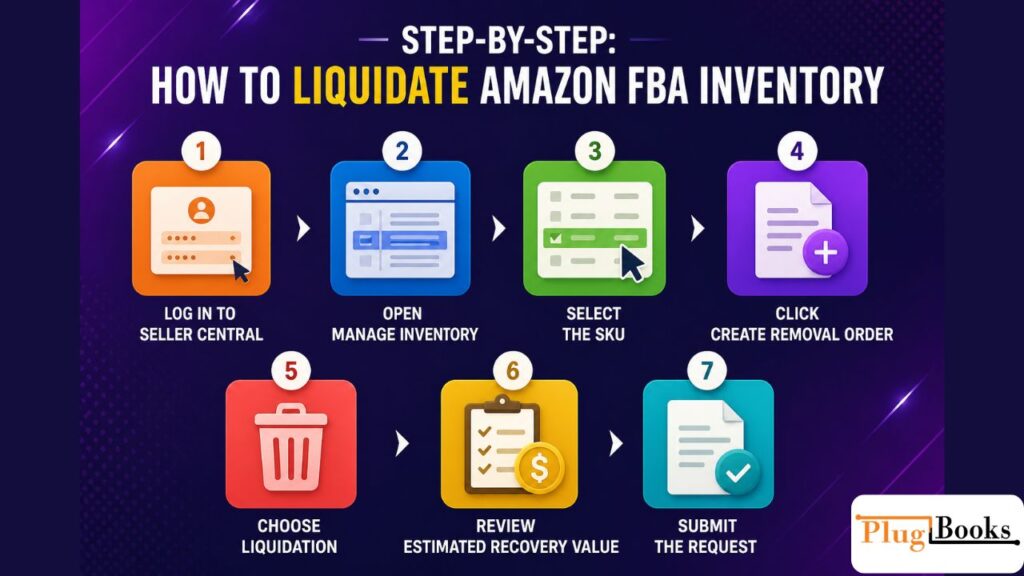
Step-by-Step: How to Liquidate Amazon FBA Inventory
Here’s the practical Amazon FBA liquidation process inside Seller Central:
Step 1: Log in to Seller Central
Access your Amazon seller dashboard.
Step 2: Open Manage Inventory
Find products underperforming or classified as dead stock Amazon inventory.
Step 3: Select SKU
Choose the product you want to remove.
Step 4: Create Removal Order
Start an FBA inventory removal order.
Step 5: Choose Liquidation
Select liquidation instead of return or disposal.
Step 6: Review Estimate
Amazon shows:
- Expected recovery value
- Deducted fees
- Liquidation estimate
Step 7: Confirm Submission
Complete the process and let Amazon handle distribution.
What Happens After Liquidation?
Once submitted:
- Inventory enters the Amazon liquidation program network
- Bulk buyers purchase stock
- Amazon processes payments
- You receive partial recovery
Timeline: 30–60 days
How Much Can You Recover?
Let’s be realistic.
Typical recovery:
5%–20% of product value
Example:
- Product cost: $10
- Recovery: $0.50 – $2
Why so low?
- Bulk liquidation pricing model
- Reseller profit margins
- Amazon fulfillment and processing deductions
This is why liquidation is considered loss recovery, not profit generation.
Amazon Liquidation vs Alternative Methods
Smart sellers don’t rely on one method—they compare options.
Amazon Liquidation
Best for:
- Dead inventory Amazon FBA
- No demand products
- Quick cleanup
Pros:
- Fast process
- Zero effort
- No external selling needed
Cons:
- Low recovery
- No pricing control
Manual Reselling
Includes:
- eBay listings
- Facebook Marketplace
- Wholesale buyers
- Amazon relisting strategies
Pros:
- Better margins
- Control over pricing
- Higher recovery potential
Cons:
- Time-intensive
- Requires active management
Smart Seller Approach
Professional sellers follow this sequence:
- Optimize listing
- Reduce price strategically
- Run promotions
- Bundle inventory
- THEN use liquidation if needed
👉 This prevents unnecessary loss from Amazon unsold inventory solutions mismanagement.
Common Mistakes Sellers Make
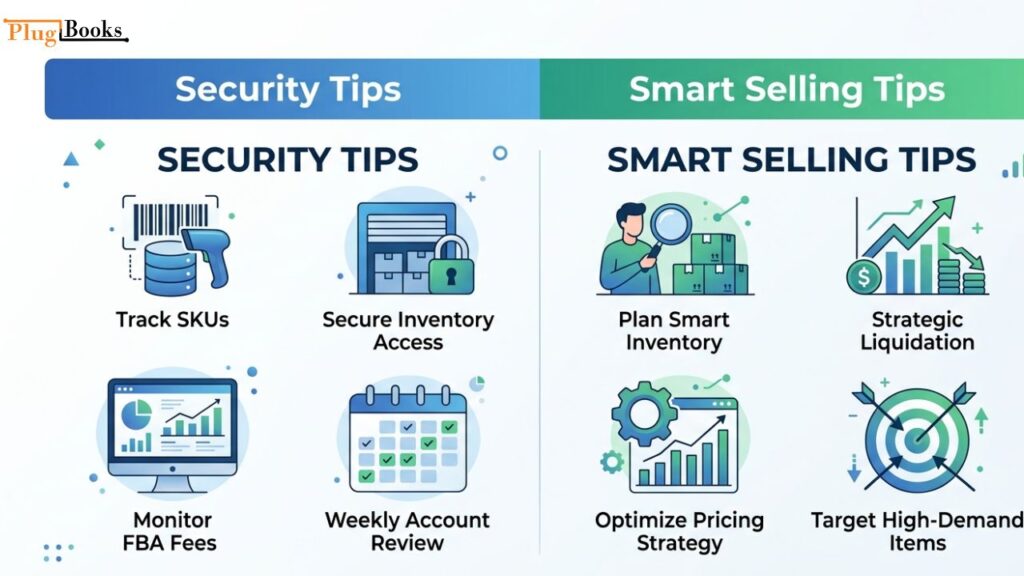
- Ignoring rising Amazon storage fees FBA impact
- Waiting too long to act
- Using liquidation too early
- Overstocking without forecasting demand
- Not tracking SKU performance
How to Reduce Loss Before Liquidation
Before choosing liquidation:
- Run discount campaigns
- Optimize keywords and images
- Use PPC to boost visibility
- Bundle slow products
- Test pricing elasticity
👉 These methods often reduce reliance on the Amazon liquidation program.
Smart Inventory Management Tips
- Monitor inventory turnover rate
- Track storage fees weekly
- Forecast demand before restocking
- Avoid overstocking seasonal products
👉 Proper planning reduces need for FBA inventory removal order actions.
Tracking Profit Impact (PlugBooks Insight)
Most sellers overlook this:
Liquidation affects true profit visibility.
Between:
- Amazon fees
- Storage charges
- Recovery losses
Your actual numbers get unclear.
That’s why tools like PlugBooks help:
- Track post-liquidation profit
- Monitor multi-channel inventory
- Analyze true margins across platforms

FAQs
Does Amazon automatically liquidate inventory?
No, sellers must manually create an FBA inventory removal order.
Is liquidation part of the Amazon liquidation program?
Yes, it is Amazon’s official system for unsold inventory.
Can liquidation help with dead stock Amazon inventory?
Yes, it is commonly used for that purpose.
What is the difference between removal and liquidation?
Removal returns or disposes inventory; liquidation sells it in bulk.
Does liquidation affect account health?
No, it is a normal inventory management option.
Quick Recap
- Liquidation is for Amazon unsold inventory solutions
- Recovery is low but better than disposal
- Timing is critical for minimizing loss
- Alternatives often provide higher returns
- Use liquidation as a last step
Final Conclusion
Understanding how to liquidate Amazon FBA inventory is essential for every seller, but the real skill lies in timing and strategy.
Liquidation is not failure—it’s controlled exit management.
The best sellers in 2026:
- Track inventory early
- Avoid unnecessary storage fees
- Use smarter alternatives first
- Treat liquidation as a final decision
When used correctly, it protects your business from deeper losses instead of creating them.
