




Running an online store can be exciting, but many sellers face challenges when starting their journey. From adding products to managing payments and orders, beginners often look for reliable Shopify Seller Help to solve problems quickly.
In 2026, Shopify continues to be one of the most powerful eCommerce platforms for entrepreneurs and businesses. However, without the right guidance, sellers may struggle with store setup, product listings, payment configuration, and order management.
This guide provides complete Seller Help so sellers can confidently run their stores, fix common issues, and grow their online business successfully.
Key Points
- Understand how Shopify seller support works
- Learn store setup and product listing steps
- Manage payments and shipping easily
- Fix common store problems quickly
- Discover helpful tools for automation
What is Shopify Seller Help?
Shopify Seller Help refers to guidance, resources, and solutions that help store owners manage their Shopify business effectively. It includes tutorials, support tools, and troubleshooting methods that help sellers run their stores smoothly.
New sellers often require help with tasks like:
- Setting up their online store
- Adding and optimizing products
- Managing payments and transactions
- Handling shipping and fulfillment
- Solving technical issues
Shopify provides many built-in resources such as help documentation, community forums, and support teams to assist sellers. By using these resources correctly, sellers can quickly resolve issues and focus on growing their business.
Shopify Store Setup Assistance
Setting up your Shopify store correctly is the first step toward building a successful online business.
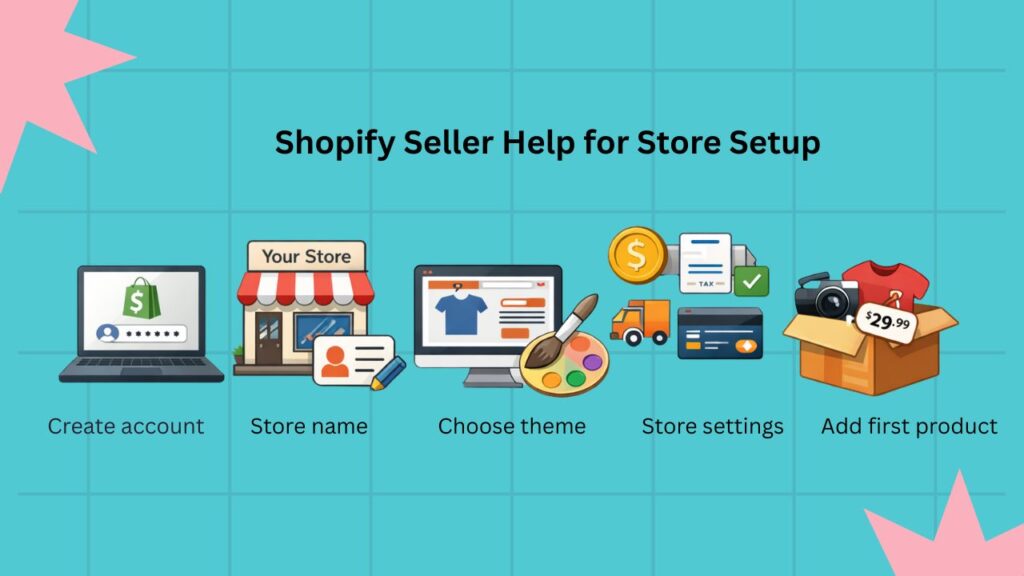
Step 1: Create a Shopify Account
Visit the Shopify website and create an account using your email address. Choose a plan that fits your business needs.
Step 2: Choose a Store Name
Your store name should be unique, memorable, and related to your products.
Step 3: Select a Theme
Shopify offers many free and premium themes. Choose one that matches your brand style and product category.
Step 4: Configure Store Settings
Before launching your store, adjust essential settings such as:
- Store currency
- Shipping options
- Tax settings
- Payment gateways
Step 5: Add Your First Product
Upload your products with clear descriptions and high-quality images. A well-structured store increases customer trust and conversions.
This basic setup process is often the first place where sellers search for Shopify Seller Help.
Shopify Product Listing Guide 2026
Adding products correctly is critical for online store success. Poor product listings can reduce visibility and sales.
Follow these tips when adding products:
Use Clear Product Titles
Product titles should describe exactly what you are selling. Include important keywords naturally.
Write Detailed Descriptions
Explain product features, benefits, materials, and usage instructions.
Add High-Quality Images
Customers rely heavily on images when shopping online. Use multiple angles and lifestyle photos.
Set Accurate Pricing
Choose competitive pricing based on your market research.
Manage Inventory
Track your inventory levels to avoid overselling products.
Proper product management is another area where sellers frequently need Shopify Seller Help.
Shopify Payment Setup Assistance: 2026 Step-by-Step Guide
Payment configuration is one of the most important parts of running an online store.
Shopify allows sellers to accept payments through several methods.
Shopify Payments
This is the default payment option offered by Shopify. It allows you to accept credit cards directly without a third-party provider.
PayPal Integration
Many customers prefer paying through PayPal, making it a useful addition to your payment methods.
Third-Party Payment Gateways
Depending on your region, you may also connect other payment providers.
Payment Setup Tips
- Verify your business details
- Enable secure payment processing
- Test transactions before launching
Correct payment setup ensures smooth transactions and fewer customer complaints.
Shopify Seller Help for Order Management
Order management is the daily operation of any Shopify store. Sellers must process orders quickly and accurately to maintain customer satisfaction.
Here is the basic order workflow:
1: Receive the Order
When a customer places an order, Shopify sends an order notification.
2: Confirm Payment
Ensure the payment has been successfully processed.
3: Prepare the Product
Pack the product securely for shipping.
4: Ship the Order
Use a trusted shipping provider and generate tracking details.
5: Update Tracking
Provide the tracking number to customers so they can monitor delivery progress.
Efficient order handling reduces refunds, disputes, and negative reviews.
Common Shopify Seller Problems & Fixes
Even experienced sellers encounter problems while managing their stores. Understanding common issues can help you solve them faster.
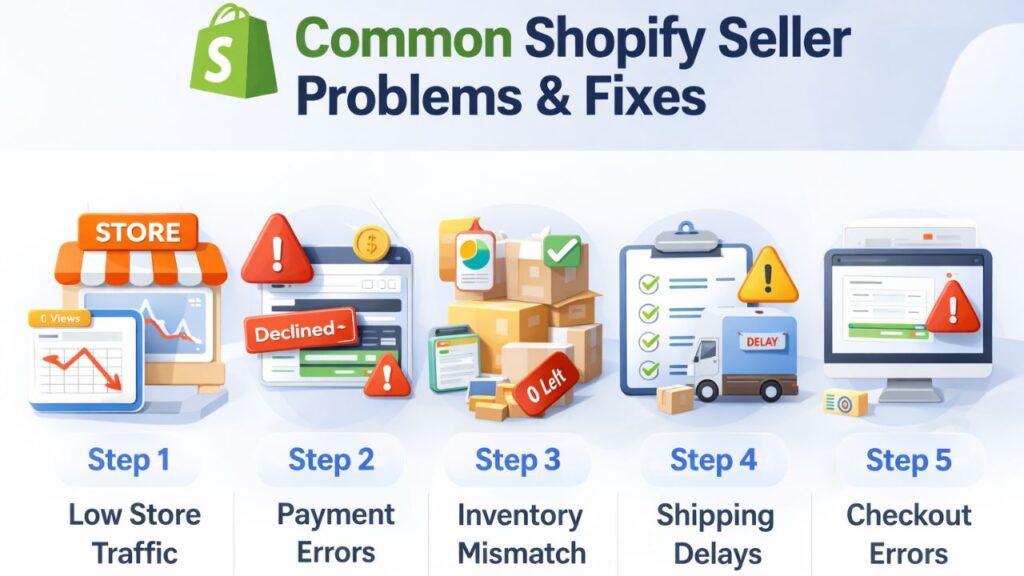
Low Store Traffic
If your store is not getting visitors, focus on:
- Search engine optimization
- Social media marketing
- Paid advertisements
Payment Gateway Errors
Sometimes payments fail due to verification or technical problems. Check your payment provider settings and account status.
Inventory Mismatch
Inventory errors occur when stock levels are not updated correctly. Use automatic inventory tracking.
Shipping Delays
Choose reliable shipping partners and provide clear delivery timelines.
Checkout Errors
Checkout issues may occur due to theme conflicts or payment problems. Testing your checkout regularly helps prevent these issues.
Many sellers search for Shopify Seller Help when they face these problems.
Shopify Seller Help for Store Security
Security is essential for protecting both your business and your customers.
Follow these security practices:
Enable Two-Factor Authentication
This adds an extra layer of protection to your Shopify account.
Monitor Fraud Alerts
Shopify provides fraud analysis for suspicious transactions.
Use Secure Payment Methods
Always enable trusted and encrypted payment gateways.
Backup Important Data
Regularly export reports and store backups of critical business information.
Strong security measures help prevent financial losses and account breaches.
Best Tools for Shopify Store Success
Several tools can simplify store management and improve productivity.
Shopify Analytics
Provides insights about sales, traffic, and customer behavior.
Automation Apps
Automation apps help manage tasks like email marketing, inventory updates, and abandoned cart recovery.
Inventory Management Tools
These tools track product availability and prevent overselling.
Accounting Integrations
Financial tools help track revenue, expenses, and tax reporting.
Using the right tools can significantly reduce manual work for store owners.
Shopify Seller Help for Accounting & Reports
Managing finances is one of the biggest challenges for online sellers. Tracking sales, expenses, and transaction fees manually can lead to errors.
This is where automation tools become helpful.
For example, PlugBooks helps sellers automate their Shopify accounting by syncing store transactions with accounting platforms like QuickBooks and Xero. This allows sellers to track sales, manage financial reports, and simplify bookkeeping without manual work.
Automation helps store owners focus more on growing their business instead of managing spreadsheets.

FAQs
1. Where can I get help for managing my Shopify store?
You can find assistance through Shopify support, tutorials, community forums, and professional service providers.
2. How can beginners start selling online using Shopify?
Beginners should create a store, add products, configure payments, and start marketing their products to attract customers.
3. What are the most common problems online store owners face?
Common issues include payment setup errors, low traffic, inventory tracking problems, and shipping delays.
4. Does Shopify offer customer support for sellers?
Yes, Shopify provides multiple support options including help documentation and live assistance.
5. How can I manage orders efficiently in Shopify?
Using order notifications, shipping integrations, and tracking updates helps streamline order management.
6. What tools help sellers manage their store operations?
Analytics tools, automation apps, and accounting integrations can help sellers manage their store more efficiently.
Quick Recap
- Shopify Seller Help includes guidance for managing an online store
- Proper setup is essential for store success
- Product listings should be optimized for customers and search engines
- Payment and order management must be handled carefully
- Automation tools can simplify store operations
Conclusion
Running a successful Shopify store requires more than just listing products online. Sellers must understand store setup, product management, payment configuration, order fulfillment, and security practices.
With the right Shopify Seller Help, beginners and experienced sellers can solve problems quickly and manage their stores efficiently. By using helpful tools, following best practices, and automating tasks where possible, sellers can focus on scaling their business and increasing sales.
If you want to simplify financial management, automation tools like PlugBooks can help track transactions, organize reports, and streamline bookkeeping for Shopify sellers.
With the right strategy and support, your Shopify store can grow into a profitable and sustainable online business.
