




If you’re an eBay seller, keeping your account organized is crucial. MyeBay Summary provides a clear snapshot of your sales, orders, fees, and purchase history. Whether you’re just starting out or are an experienced seller, using this feature helps you track activity efficiently, simplify bookkeeping, and make informed decisions.
What Is MyeBay Summary?
My eBay Summary is your personal seller dashboard where you can review buying and selling activity, recent orders, payment updates, purchase history, buyer messages, and account notifications from one place.
It provides a clear account overview, helping you stay organized, monitor marketplace activity, and manage your seller account more efficiently.
What’s Included in Your eBay Seller Dashboard?
My eBay Summary gives sellers a complete overview of their account in one place. Instead of switching between different pages, you can quickly review recent orders, active listings, sold items, purchase history, messages, saved searches, watchlist, account activity, and payment updates. Regularly checking your seller dashboard helps you stay organized and respond quickly to customer orders or account notifications.
You’ll typically find:
- Active and sold listings
- Recent orders
- Purchase history
- Messages from buyers
- Watchlist and saved searches
- Payment and payout updates
- Account notifications
- Selling activity overview
A Seller’s Experience in the USA
In New York, Emma had just started selling handmade jewelry on eBay. She was thrilled about her first few orders but quickly found it overwhelming to track sales, fees, and purchases across emails and spreadsheets. Missed payouts and untracked orders became a real headache.
Then Emma discovered MyeBay Summary, which gave her a complete overview of her account. She could see recent sales, monitor her purchase history, and track fees—all in one place. Her business became organized, stress-free, and ready to grow.

Why Sellers Should Use This Dashboard
As an eBay seller, Emma quickly realized that managing orders, payments, and account updates manually became more difficult as her business grew. Making the dashboard part of her daily routine helped her stay organized, avoid missed payouts, and keep track of important account activity without switching between different pages.
Like many sellers, she found that spending just a few minutes reviewing her account each day made running her business much more efficient.
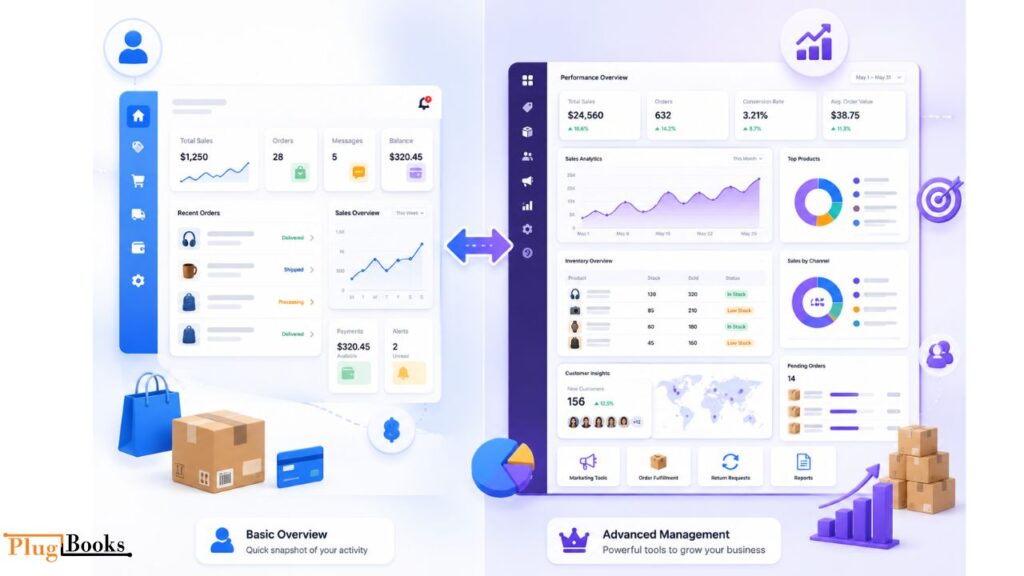
eBay Seller Dashboard vs Seller Hub: What’s the Difference?
Table
| My eBay Summary | Seller Hub |
| Quick account overview | Complete selling dashboard |
| View purchases and orders | Manage inventory |
| Check account activity | Analyze sales performance |
| Suitable for all users | Best for active sellers |
| Easy navigation | Advanced business tools |
If you’re a casual seller, My eBay Summary is often enough for monitoring account activity. However, high-volume sellers usually rely on Seller Hub for inventory management, performance reports, listing optimization, and order management. Many sellers use both together to manage their businesses more efficiently.
How to View MyeBay Summary
On Desktop
- Log in to eBay
- Go to My eBay → Summary
- Review orders, sales, and purchase history
On Mobile App
- Open the eBay app
- Tap My eBay → Summary
- Navigate through your account overview
Quick Tip
Bookmark the myebaysummary page for faster access.
Mastering eBay Account Summary
Sections to Explore
- Orders, Sales, Purchase History, Account Activity
- Regularly check my ebay summary account for accurate tracking
- Export data for bookkeeping, taxes, or reporting
Preparing Your eBay Records for Tax Season
Preparing taxes becomes much easier when your account activity is well organized. My eBay Summary lets you review completed sales, refunds, marketplace fees, and purchase records before exporting reports for bookkeeping.
If you connect your eBay account with PlugBooks, transactions can automatically sync to QuickBooks or Xero, reducing manual work and improving financial accuracy throughout the year.
Common Issues & Fixes
Troubleshooting
- Summary not loading → Clear cache or update the app
- Discrepancies in sales or fees → Verify transactions
- Missing purchases → Check purchase history in my ebay summery
Security Tips
Protect Your Account
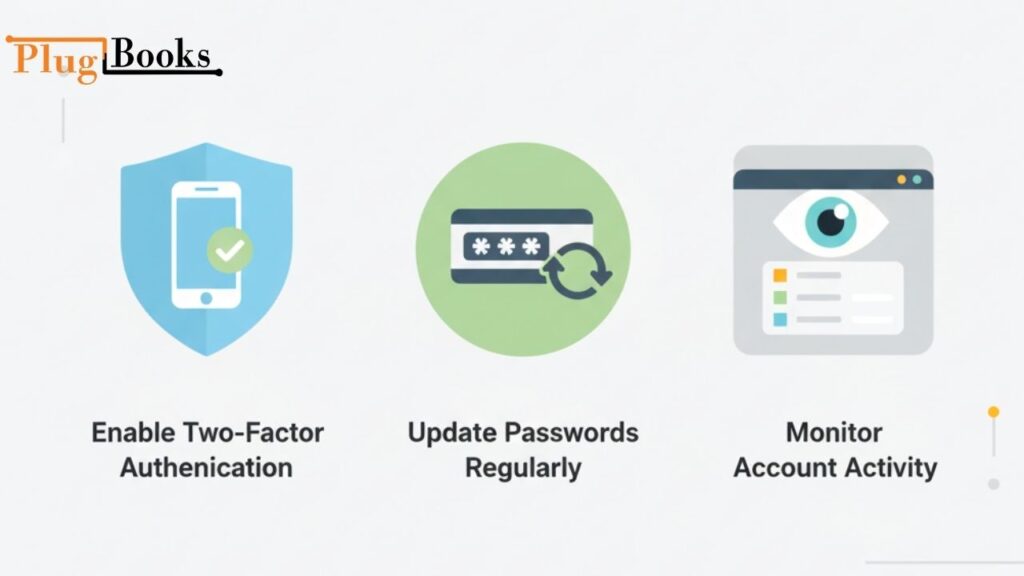
- Enable two-factor authentication
- Update passwords regularly
- Monitor account activity for suspicious logins
In 2026, eBay continues encouraging sellers to use stronger account protection, including passkeys and two-factor authentication. Reviewing your My eBay Summary regularly also helps identify unfamiliar logins, unexpected purchases, or suspicious selling activity before they become bigger problems.
How PlugBooks Helps Sellers
Benefits of Using PlugBooks
PlugBooks is a bookkeeping software designed for eBay, Amazon, and Shopify sellers. It connects seamlessly with QuickBooks and Xero, allowing you to:
- Automatically sync eBay transactions with QuickBooks or Xero, reconcile payouts, organize marketplace fees, categorize refunds, and generate accurate financial reports without manual spreadsheets.
- Track my ebay summary account, Amazon, and Shopify transactions efficiently
- Reduce manual bookkeeping errors
- Ensure accurate fee, sales, and payout tracking across all platforms

Tips to Manage Your Seller Dashboard More Effectively
| Best Practice | Why It Matters |
|---|---|
| Check your dashboard daily | Stay updated on orders, payments, and account activity. |
| Review payouts regularly | Catch payment issues before they affect cash flow. |
| Monitor listings | Keep products active and identify listing problems quickly. |
| Track account notifications | Respond faster to buyer messages and important updates. |
| Use bookkeeping automation | Sync transactions with QuickBooks or Xero to save time and reduce manual work. |
Conclusion
Using MyeBay Summary daily allows eBay sellers to stay organized, track sales, fees, and purchase history, and make smarter business decisions. Integrating it with PlugBooks ensures seamless accounting, giving sellers more time to focus on growing their business.
FAQs
1. Where can I find my eBay seller dashboard?
You can access your eBay seller dashboard by signing in to your account, selecting My eBay, and opening the Summary page. It provides a quick overview of your recent selling activity, orders, account notifications, and payment updates.
2. What does the eBay account overview include?
The eBay account overview displays key information such as active listings, sold items, recent orders, purchase history, messages, watchlist items, and account alerts. It helps sellers monitor daily marketplace activity from one location.
3. Does the eBay dashboard show payment and payout information?
Yes. Sellers using eBay Payments can review payment status, available payouts, completed transactions, refunds, and marketplace fees directly from their seller account, making it easier to manage cash flow.
4. Can I download sales reports from my eBay account?
Yes. eBay allows sellers to export transaction reports, order details, and financial records for bookkeeping, tax preparation, and business reporting. These reports help maintain accurate accounting throughout the year.
5. What’s the difference between My eBay and Seller Hub?
My eBay is designed for reviewing everyday account activity, while Seller Hub offers advanced tools for inventory management, listing performance, sales analytics, and order fulfillment for growing businesses.
6. How often should sellers review their eBay account activity?
Checking your seller account activity daily helps you stay updated on new orders, buyer messages, payment notifications, listing performance, and account alerts. Regular monitoring can improve customer service and business organization.
7. How can I keep my eBay seller account secure?
Protect your eBay seller account by enabling two-factor authentication or passkeys, creating a strong password, and reviewing recent login activity regularly. These steps help reduce the risk of unauthorized account access.
8. How does PlugBooks simplify eBay bookkeeping?
PlugBooks automatically syncs eBay transactions with QuickBooks and Xero, helping sellers organize payouts, marketplace fees, refunds, and financial records without manual data entry, making ecommerce bookkeeping faster and more accurate.
