



What are amazon marketplace payments is a common question for both buyers and sellers in 2026 when they see unknown Amazon charges or confusing payouts.
If you’ve seen “Amazon Marketplace” on your bank statement or other unexpected charges in Seller Central, you’re not alone. Amazon has one system for payments, fees and refunds. This can be confusing to many people as it is not always easy to grasp at first glance.
This tutorial will show you what Amazon marketplace payments really are, why they show up on bank statements, how seller payouts work, and why Amazon occasionally keeps money.
We’ll walk you through how to recognize an unknown Amazon charge, what Amazon Marketplace PMTS implies in 2026 and the most typical payment problems for customers and merchants.
Let’s break it out in plain terms.
What Are Amazon Marketplace Payments?
Amazon Marketplace payments are transactions made through Amazon’s marketplace platform where buyers buy products from third-party vendors using Amazon’s payment processing.
Amazon is the middleman between buyer and seller in basic terms .
Instead, shoppers pay Amazon first, not the sellers directly.
Then Amazon:
- Processes a payment
- Checks transaction
- Deducts fees
- Handles refunds
- Releases payouts to sellers
This system helps Amazon to keep:
payment security.
- fraud protection
- customer trust
- dispute handling
Which is why costs are typically listed under Amazon Marketplace instead of the actual business name of the seller.
This can be confusing to many when they later check bank statements or credit card usage.
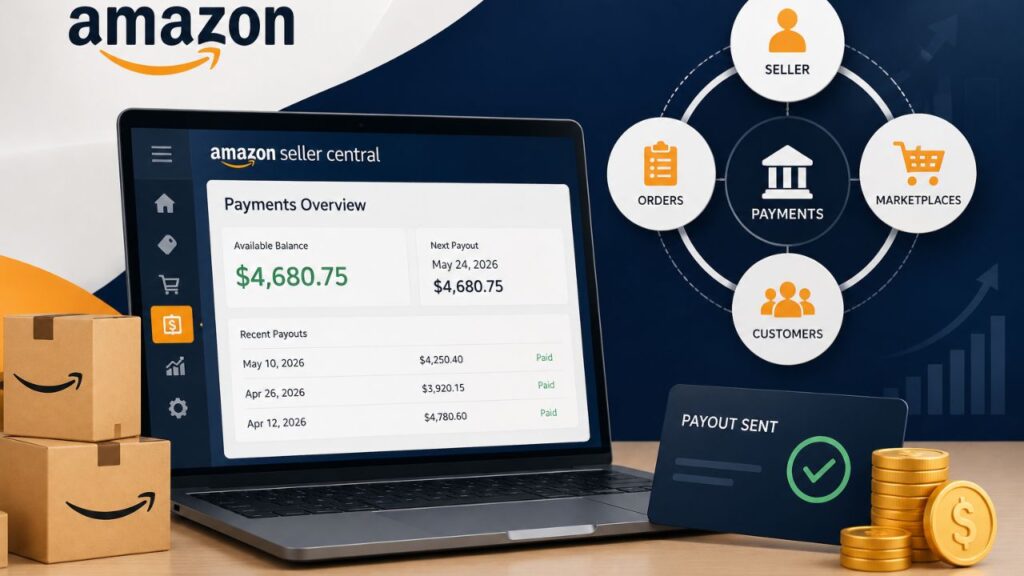
What Is a Marketplace Payment on Amazon?
A marketplace payment on Amazon usually refers to a transaction connected to a third-party seller operating through Amazon’s platform.
For instance:
When you buy phone cases from an independent seller on Amazon, the money still goes through Amazon’s system. Your bank statement might read:
- Amazon Market Place
- Marketplace PMTS
- AMZN MKTPLACE
- Amazon Payments
instead of the actual firm name of the seller.
This is completely normal in most cases.
However, confusion happens because buyers often do not recognize the billing description immediately.
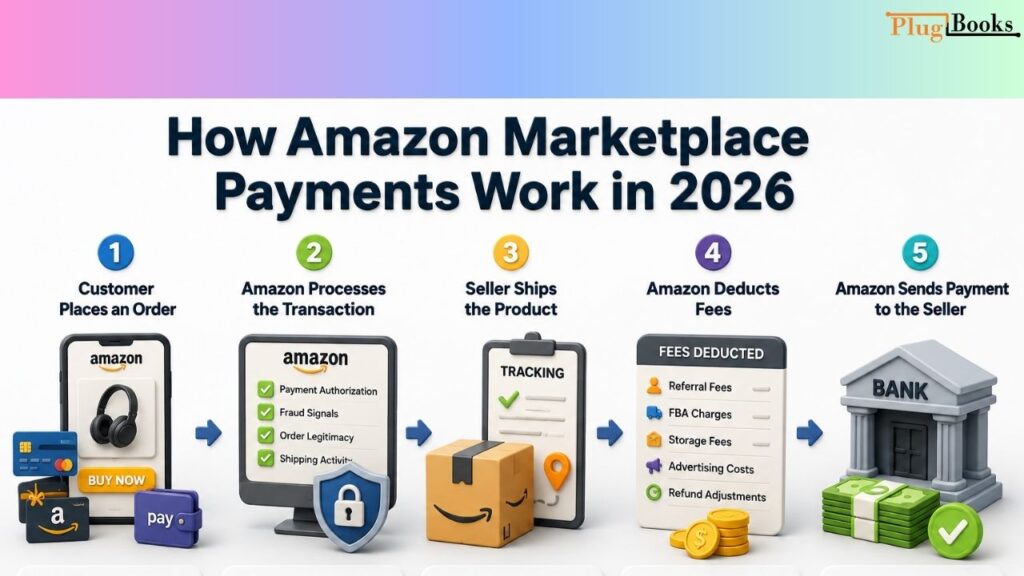
How Amazon Marketplace Payments Work in 2026
Amazon’s payment system follows a structured process.
Understanding this flow helps both buyers and sellers avoid confusion.
Step 1: Customer Places an Order
A customer purchases a product using:
- credit card
- debit card
- gift card
- installment plan
- digital wallet
Amazon immediately collects the payment.
The seller does not receive the money instantly.
Step 2: Amazon Processes the Transaction
Amazon verifies:
- payment authorization
- fraud signals
- order legitimacy
- shipping activity
This step helps protect customers and sellers from fraudulent transactions.
Step 3: Seller Ships the Product
Once tracking updates properly, Amazon starts preparing the order amount for settlement processing.
This is where reserve systems may apply for sellers.
Step 4: Amazon Deducts Fees
Before releasing seller payouts, Amazon deducts:
- referral fees
- FBA charges
- storage fees
- advertising costs
- refund adjustments
Many new sellers feel surprised when payouts are lower than expected.
That is because revenue and actual disbursement amounts are very different things on Amazon.
Step 5: Amazon Sends Payment to the Seller
Amazon deducts the reserve checks and deposits the rest in the seller’s bank account.
A disbursement is a transfer of funds.
Depending on how your bank processes payments, deposits may take several business days to show.
Why is there an Amazon Marketplace charge on my bank statement?
One of the top reasons individuals look for Amazon marketplace payments is because they see weird charges on their bank statement.
The payment description may appear as:
- Amazon Marketplace PMTS
- AMZN MKTP US
- Amazon Payments
- Amazon Marketplace
- Amazon Digital Svcs
For many users, these descriptions look unfamiliar at first.
This becomes especially common when:
- family members share Amazon accounts
- subscriptions renew automatically
- orders ship separately
- digital purchases process later
- archived orders are forgotten
In most situations, the charge is legitimate.
Still, it is smart to verify every unfamiliar payment carefully.
What Is Amazon Marketplace Charge on My Credit Card?
An Amazon marketplace charge on your credit card usually means a product was purchased from a third-party seller using Amazon’s marketplace system.
Amazon processes the payment itself, which is why the statement does not normally show the seller’s actual brand name.
Many buyers first notice this while reviewing monthly statements and wondering:
“What is this charge called marketplace payments?”
Before assuming fraud, check:
- Amazon order history
- archived purchases
- Prime subscriptions
- family account activity
A surprising number of “unknown charges” turn out to be forgotten purchases.
Amazon Marketplace Charge on Debit Card Explained
An Amazon marketplace charge on a debit card works almost the same way as a credit card transaction.
However, debit card charges sometimes look more confusing because:
- banks shorten transaction names
- multiple shipments create separate charges
- pending authorizations appear temporarily
- currency conversions may apply
This is why some people search:
“Amazon Marketplace payments on bank statement”
after noticing unfamiliar debit card activity.
What Does Amazon Marketplace Mean on My Bank Statement?
If Amazon Marketplace appears on your bank statement, it usually means Amazon processed a payment connected to:
- a marketplace purchase
- a third-party seller order
- Prime-related transactions
- subscription renewals
- digital services
Different banks display these charges differently.
Examples include:
- Amazon Marketplace PMTS
- AMZN MKTP US
- Amazon Payments
- Amazon Digital Services
The wording depends on your bank and region.
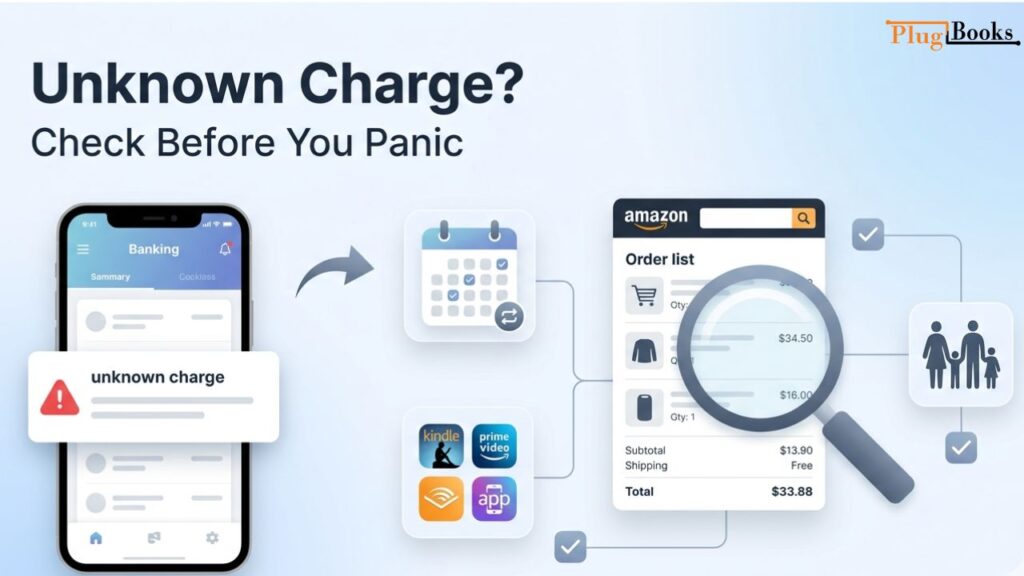
Unknown Amazon Marketplace Charge: What Should You Do?
Seeing an unknown Amazon Marketplace charge can feel stressful.
But not every unfamiliar transaction is fraud.
Before contacting your bank:
- Check your Amazon order history
- Review archived orders
- Ask family members about purchases
- Verify subscriptions
- Check split shipments
- Review digital purchases
Many people forget about:
- Kindle purchases
- Prime renewals
- app subscriptions
- Audible charges
- delayed shipment billing
If the charge still looks suspicious afterward, contact Amazon Customer Service immediately.
Unknown Charge From Amazon Digital Services
Another common confusion involves Amazon Digital Services charges.
These payments may relate to:
- Prime Video
- Kindle books
- Amazon Music
- Audible
- apps
- digital subscriptions
Because billing descriptions look similar, many users mistakenly believe these charges are unauthorized marketplace purchases.
That is why Amazon Digital Services searches increased significantly in recent years.
What Are Amazon Marketplace Payments on Amazon Prime?
Many buyers think Amazon Marketplace payments and Amazon Prime charges are the same thing.
They are actually different.
Amazon Prime Charges Usually Include:
- membership renewals
- streaming subscriptions
- Prime benefits
- add-on channels
Amazon Marketplace Payments Usually Include:
- third-party seller purchases
- marketplace orders
- product transactions
However, both may appear similarly on statements, which creates confusion.
How Amazon Seller Payments Work
For sellers, Amazon Marketplace payments affect business cash flow directly.
Amazon does not instantly release every completed sale.
Instead, the platform follows a settlement system.
Amazon Payment Schedule Explained
Most Amazon sellers receive payouts every 14 days.
During each cycle, Amazon reviews:
- completed orders
- reserves
- refunds
- account health
- delivery confirmations
Then eligible balances are released.
Some sellers qualify for daily payouts, but reserve holds can still apply.
Why Amazon Holds Seller Funds
This is where many new sellers become frustrated.
You see sales happening daily, but part of the balance remains unavailable.
Amazon holds funds for several reasons:
- fraud prevention
- delivery verification
- refund protection
- account health monitoring
- high-risk category control
This system protects the marketplace but can create cash flow pressure for newer sellers.
Understanding Amazon Reserve Balances
A reserve balance is money Amazon temporarily holds before making it available for withdrawal.
This does not automatically mean your account has a problem.
Many experienced sellers simply treat reserves as part of Amazon’s normal payout structure.
Still, reserve balances are one of the most misunderstood parts of Seller Central.
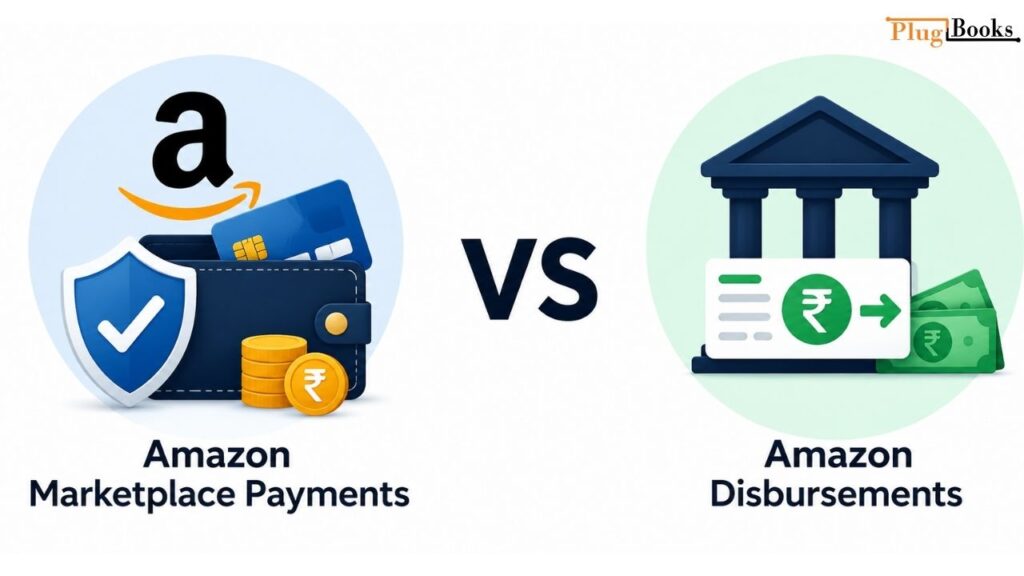
Amazon Marketplace Payments vs Disbursements
These terms sound similar but mean different things.
Marketplace Payments
This includes:
- incoming customer payments
- pending balances
- reserve funds
- transaction activity
Disbursements
These are the actual payouts Amazon sends to your bank account.
Understanding the difference helps sellers track finances more accurately.
Fees Amazon Deducts Before Sending Payments
One of the biggest surprises for beginners is how much Amazon deducts before payouts.
Common deductions include:
- referral fees
- FBA fulfillment costs
- storage fees
- return adjustments
- advertising expenses
This explains why high sales numbers do not always translate into strong profits.
Example Amazon Seller Payment Breakdown
| Transaction | Amount |
| Product Sale | $100 |
| Referral Fee | -$15 |
| FBA Fee | -$8 |
| Advertising Cost | -$6 |
| Refund Reserve | -$7 |
| Final Disbursement | $64 |
This example shows why experienced sellers focus heavily on net margins instead of just revenue.
How to Track Amazon Marketplace Payments in Seller Central
Inside Seller Central, sellers can monitor:
- settlement reports
- available balances
- reserve balances
- transaction history
- pending disbursements
Go to:
Payments → Statement View
Regularly reviewing these reports helps sellers:
- catch accounting errors
- track fee deductions
- manage cash flow better
How to Cancel Amazon Marketplace PMTS
People often search how to cancel Amazon Marketplace PMTS after noticing recurring or unfamiliar charges.
The solution depends on the transaction type.
For example:
- order charges require cancellation or refunds
- subscriptions require membership cancellation
- digital services must be canceled separately
If the payment source remains unclear, reviewing account activity is the best starting point.
Amazon Charge ID Lookup Explained
Amazon Charge ID lookup helps identify transactions connected to specific orders or account activity.
This becomes useful when:
- payment descriptions look unfamiliar
- multiple cards are connected
- orders were placed weeks earlier
- family members share one account
Amazon Customer Service can often help identify charges using transaction references and payment details.
What Are Amazon Payments?
Amazon Payments is Amazon’s internal payment infrastructure used to process:
- marketplace transactions
- digital purchases
- subscriptions
- seller payouts
- refunds
It acts as the financial system behind Amazon’s marketplace ecosystem.
What Is Amazon Marketplace Used For?
Amazon Marketplace allows third-party businesses and independent sellers to sell products directly through Amazon’s platform.
It helps sellers:
- access large customer audiences
- use Amazon fulfillment services
- process secure payments
- scale globally
Today, a major percentage of products sold on Amazon come from marketplace sellers instead of Amazon itself.
How Do I Stop Amazon Marketplace Payments?
If you want to stop Amazon Marketplace payments:
- cancel pending orders
- end subscriptions
- remove payment methods
- disable auto-renewals
- contact Amazon support if fraud is suspected
Many recurring charges are linked to forgotten subscriptions or shared accounts rather than unauthorized activity.
Common Amazon Payment Problems Sellers Face
Even experienced sellers occasionally face payout issues.
Common problems include:
- delayed transfers
- negative balances
- verification holds
- reserve increases
- currency conversion losses
Most issues are connected to account reviews, shipment verification, or banking delays.
Tips to Receive Amazon Marketplace Payments Faster
While sellers cannot fully control Amazon’s reserve system, these practices help improve payout consistency:
Upload Tracking Quickly
Fast tracking updates improve order verification.
Maintain Strong Seller Metrics
Healthy accounts usually experience fewer payout delays.
Reduce Refund Rates
Better product quality reduces reserve pressure.
Keep Banking Information Updated
Incorrect details can pause disbursements completely.

How PlugBooks Helps Amazon Sellers Track Marketplace Payments
As Amazon businesses grow, manually tracking settlements becomes difficult.
Many sellers struggle with:
- payout reconciliation
- accounting accuracy
- reserve tracking
- fee categorization
PlugBooks helps Amazon sellers automate bookkeeping and connect marketplace payment data with accounting platforms like QuickBooks and Xero.
This helps sellers:
- organize settlements
- track Amazon fees accurately
- simplify reconciliation
- improve financial reporting
For growing sellers in 2026, automation can save significant time and reduce accounting mistakes.

Frequently Asked Questions
What Amazon marketplace payments?
Amazon Marketplace payments are transactions processed through Amazon’s platform for marketplace purchases, subscriptions, and seller payouts.
What is the Amazon marketplace charge on my credit card?
It usually means a purchase was made from a third-party Amazon seller using Amazon’s payment system.
What does Amazon Marketplace mean on my bank statement?
It indicates a payment processed through Amazon’s marketplace infrastructure.
How do I stop Amazon Marketplace payments?
You can stop them by canceling subscriptions, pending orders, or removing payment methods connected to Amazon.
What is this charge called marketplace payments?
This usually refers to Amazon-processed marketplace transactions appearing on bank or card statements.
Can Amazon Marketplace charges be fraud?
Sometimes yes, but many unknown charges are linked to forgotten subscriptions, shared accounts, or archived orders.
Final Thoughts
Understanding what are Amazon marketplace payments are is important for both buyers and sellers in 2026.
For buyers, these transactions explain why Amazon charges sometimes appear differently on bank statements.
For sellers, understanding settlements, reserves, fees, and disbursements is essential for managing business cash flow properly.
Once you understand how Amazon’s payment system works behind the scenes, the confusing transaction descriptions and payout structures start making much more sense.