



QuickBooks Enterprise vs Pro is an important comparison for ecommerce sellers choosing bookkeeping software as their business grows. Businesses managing sales across Amazon, eBay, and Shopify need to keep track of transactions, inventory, expenses, taxes, and cash flow.
The main differences involve business size, user capacity, inventory management, reporting, and subscription costs. QuickBooks Pro focuses on essential desktop bookkeeping, while Enterprise offers more advanced tools for businesses with complex operations.
This guide explains their features, limitations, pricing considerations, and differences from QuickBooks Online. It also explores how ecommerce sellers can organize their financial records with PlugBooks.
What Is QuickBooks Pro?
What is QuickBooks Pro? It is a desktop bookkeeping solution designed for small businesses with straightforward financial requirements. It helps users manage invoices, bills, payments, expenses, accounts receivable, and accounts payable.
QuickBooks Pro also supports basic inventory tracking and standard financial reporting. It can be suitable for smaller businesses that do not need extensive inventory controls or access for a large team.
Key Features of QuickBooks Pro
- Bookkeeping: Manage invoices, bills, payments, and business expenses.
- Basic Inventory: Record inventory items and monitor quantities on hand.
- Financial Reports: Generate reports such as Profit and Loss statements and Balance Sheets.
- User Access: Supports up to three simultaneous users, subject to the applicable product license.
However, businesses with expanding product catalogs, multiple warehouses, or more complex reporting needs may eventually require additional capabilities.
What Is QuickBooks Enterprise?
QuickBooks Enterprise is a more advanced desktop solution designed for growing and larger businesses. It provides expanded list capacity, additional user licenses, advanced reporting, and optional inventory management features.
Key Features of QuickBooks Enterprise
- Advanced Inventory: Supports multiple locations, barcode scanning, bin tracking, and lot and serial-number tracking through eligible subscriptions.
- Higher List Capacity: Supports up to one million names and one million items.
- Advanced Reporting: Includes more than 200 built-in reports.
- User Permissions: Offers customizable permissions to help control employee access.
- Multi-Company Tools: Helps businesses manage information across multiple company files.
Advanced Inventory is included in Enterprise Platinum and Diamond subscriptions. Specific features and hardware requirements may vary. <Cite refs={[“turn634689search4″,”turn634689search5″,”turn634689search13”]} />
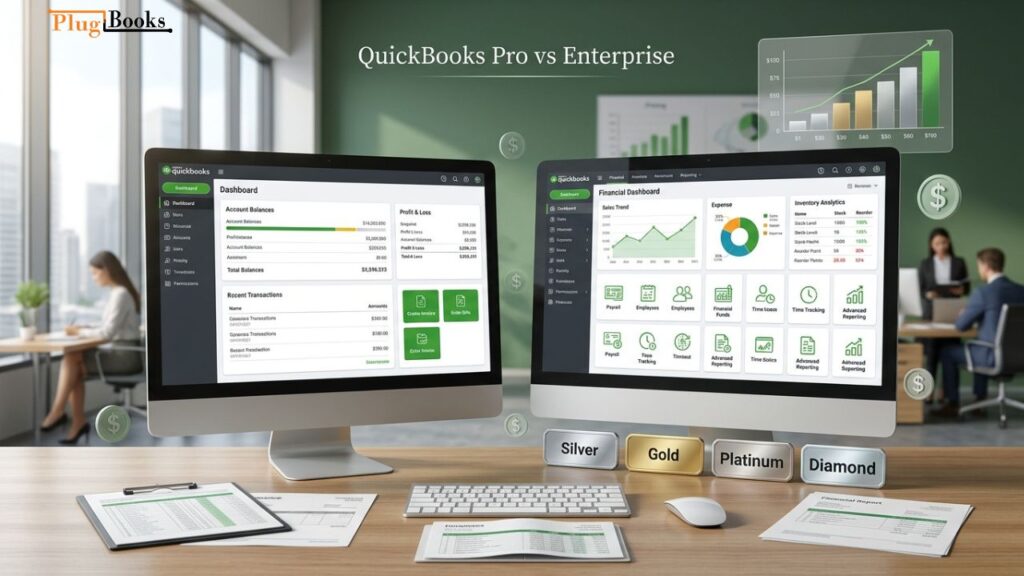
QuickBooks Enterprise vs Pro: Feature Comparison
The right option depends on how many users need access, how complex inventory management is, and how much reporting flexibility the business requires.
| Feature | QuickBooks Pro | QuickBooks Enterprise |
| Software type | Desktop | Desktop |
| Simultaneous users | Up to 3 | Up to 30 on standard tiers; up to 40 on Diamond |
| Name and list capacity | 14,500 names | Up to 1 million names |
| Item capacity | 14,500 items | Up to 1 million items |
| Inventory | Basic tracking | Advanced Inventory available |
| Multi-location inventory | Limited | Available with Advanced Inventory |
| Reporting | Standard reports | 200+ built-in reports |
| User permissions | Basic access controls | More detailed permissions |
The list limits refer to separate categories: names include customers, vendors, and employees, while items include inventory and other product or service entries. Enterprise’s maximum capacity does not mean every company should operate close to that limit. <Cite refs={[“turn634689search0″,”turn634689search16”]} />
QuickBooks Enterprise vs Pro: Pricing
Pricing depends on the subscription, number of users, selected features, and additional services. Intuit offers Enterprise in four main tiers: Silver, Gold, Platinum, and Diamond.
| Product | Pricing considerations |
| QuickBooks Pro Plus | Existing eligible subscribers can renew |
| Enterprise Silver | Core Enterprise subscription |
| Enterprise Gold | Includes additional payroll-related features |
| Enterprise Platinum | Includes Advanced Inventory and Advanced Pricing |
| Enterprise Diamond | Higher user capacity and additional services |
Intuit stopped selling new QuickBooks Desktop Pro Plus subscriptions to U.S. customers after September 30, 2024. Existing eligible subscribers can continue renewing. This restriction applies to the United States, not automatically to every country. Enterprise subscriptions remain available.
Rather than relying on old online price estimates, request a current quote from Intuit. User licenses, payroll, hosting, and optional services can affect the final cost. <Cite refs={[“turn634689search0″,”turn634689search1″,”turn634689search4”]} />
QuickBooks Pro vs QuickBooks Pro Plus
The difference in QuickBooks Pro vs QuickBooks Pro Plus mainly concerns licensing.
Historically, QuickBooks Pro was sold as a one-time desktop license. Pro Plus used an annual subscription model that included product updates and support according to the subscription terms.
Existing eligible Pro Plus subscribers can renew, but new U.S. subscribers can no longer purchase it directly from Intuit. Businesses considering a new desktop subscription should review Enterprise, while those preferring cloud access can compare QuickBooks Online.
QuickBooks Enterprise Limitations
Enterprise offers more features, but it may not be necessary for every business.
- Higher Cost: Its subscription and additional services can cost more than a basic bookkeeping solution.
- Learning Curve: Advanced inventory and reporting tools may require employee training.
- Desktop Environment: Remote access may require hosting or a suitable remote desktop setup.
- Additional Fees: Some features and services depend on the selected subscription or additional charges.
QuickBooks Pro has its own limitations, including lower list capacity, basic inventory functionality, and support for up to three simultaneous users. Neither product has a universal company-file size threshold that determines when performance will slow down.
QuickBooks Enterprise vs Online: What’s the Difference?
The comparison of QuickBooks Enterprise vs Online mainly comes down to software access and business requirements.
QuickBooks Enterprise is desktop software that can be hosted for remote access. QuickBooks Online is a cloud-based application accessed through a browser or mobile app.
| Feature | QuickBooks Enterprise | QuickBooks Online |
| Access | Desktop or hosted environment | Browser and mobile app |
| Inventory | Advanced features available | Inventory tracking in Plus and Advanced |
| Reporting | 200+ built-in reports | Features vary by plan |
| Remote access | Hosting or remote desktop setup | Native online access |
| Best suited for | Complex desktop workflows | Businesses preferring cloud access |
QuickBooks Online inventory tracking is available in Plus and Advanced plans. Enterprise offers additional inventory controls through Advanced Inventory, including multi-location and bin tracking. <Cite refs={[“turn634689search11″,”turn634689search5″,”turn634689search4”]} />
QuickBooks Online vs QuickBooks Enterprise: Which Is Better for Ecommerce Sellers?
Choosing QuickBooks Online vs QuickBooks Enterprise depends on inventory complexity, team size, and how the business operates.
Choose QuickBooks Online if you want browser-based access, cloud collaboration, and inventory features that meet your requirements.
Choose QuickBooks Enterprise if you need advanced inventory controls, more desktop users, detailed permissions, or extensive reporting.
A quickbooks online book or tutorial can help beginners understand the cloud-based product, but businesses should compare actual plan features before choosing software.
Difference Between QuickBooks and QuickBooks Pro
The difference between QuickBooks and QuickBooks Pro is that QuickBooks is the overall product family, while Pro is a specific desktop edition.
QuickBooks includes products such as QuickBooks Online and QuickBooks Desktop Enterprise. QuickBooks Pro refers to a desktop version designed for businesses with basic bookkeeping requirements.
A business owner looking for a top bookkeeper should also consider whether the chosen software supports the reporting, inventory, and financial workflows that the business needs.
Can You Migrate from QuickBooks Pro to Enterprise?
Yes. Intuit provides a process for upgrading a Pro or Premier company file to Enterprise.
Before migrating:
- Check that your computer meets Enterprise system requirements.
- Create a backup of your original company file.
- Install QuickBooks Enterprise.
- Open the existing company file in Enterprise and follow the upgrade instructions.
- Review balances, transactions, lists, and reports after conversion.
Keep a separate backup of the original file. Once the company file is updated for Enterprise, it cannot be opened again in Pro or Premier. <Cite refs={[“turn634689search16”]} />

How PlugBooks Helps Ecommerce Sellers Manage Bookkeeping
Ecommerce bookkeeping involves more than recording total sales. Sellers need to organize orders, refunds, marketplace fees, taxes, settlements, disbursements, expenses, payouts, and Cost of Goods Sold (COGS).
PlugBooks helps Amazon, eBay, and Shopify sellers organize their ecommerce financial information alongside bookkeeping software such as QuickBooks and Xero.
Key PlugBooks Capabilities
- Multi-Channel Tracking: Manage financial information from supported Amazon, eBay, and Shopify channels.
- Orders and Refunds: Keep sales and refund records organized.
- Fees and Taxes: Track marketplace fees and tax information.
- Settlements and Disbursements: Review settlement and disbursement records.
- Expenses and COGS: Organize expenses and Cost of Goods Sold information.
- Reports: Access settlement and COGS reports in CSV and PDF formats, plus monthly and yearly sales reports.
- Dashboards: Review important financial information in one place.
PlugBooks helps sellers organize ecommerce records for their bookkeeping process, while QuickBooks or Xero can continue serving as their bookkeeping software.

Frequently Asked Questions
1. What is the main difference between QuickBooks Enterprise and Pro?
Pro is designed for smaller businesses with basic bookkeeping needs. Enterprise offers higher list capacity, more users, advanced reporting, and optional inventory management features.
2. Is QuickBooks Enterprise better than QuickBooks Pro?
Enterprise may be better for businesses with complex inventory, larger lists, and more users. Pro can suit smaller businesses with straightforward bookkeeping requirements.
3. Is QuickBooks Enterprise the same as QuickBooks Online?
No. Enterprise is desktop software, while QuickBooks Online is a cloud-based application accessed through a browser or mobile app.
4. Can QuickBooks Pro manage inventory?
Yes. Pro supports basic inventory tracking, but it does not offer the same advanced multi-location, bin, lot, and serial-number features available through Enterprise Advanced Inventory.
5. Can you upgrade from QuickBooks Pro to Enterprise?
Yes. You can update a Pro company file for Enterprise. Create a backup first and verify the converted data before using it for regular business operations.